


Industrial production content has emerged as one of the most effective methods for building a large YouTube audience—without ever appearing in front of a camera.
A subscriber recently directed me to a channel called NextGen Process, which exemplifies the power of this approach. Their growth is truly remarkable:
Launched: Just two weeks ago.
Total Views: Over 9 million from only 15 videos.
Performance: Every video (except one) has garnered hundreds of thousands of views.
Top Video: Already reaching 4 million views.
For a channel that didn’t exist last month, those figures are astonishing.
What’s their secret?
They produce engaging, step-by-step videos that showcase how everyday products are manufactured—from luxury crocodile leather jackets and Coca-Cola to common items like cigarettes. The footage is highly detailed, capturing the entire production process from raw materials to final products.
The best part?
They’ve never set foot in a factory. Every scene you see is generated entirely by AI.
If you’ve been looking for a sign to launch your own faceless channel, this is it. Below, I’ll outline their precise 6-step blueprint and explain how to automate the most tedious aspects of the process.

Table of Contents
Step 1: Find Your Viral industrial production Topic (Endless Possibilities)
The “How It’s Made” niche is brimming with ideas. Whether it’s matchboxes or luxury watches, you’ll always have plenty of content to explore. To help spark your creativity, consider using a free text generator like ChatGPT.

ChatGPT: Login
Here’s how to use it:
- Copy the topic-generation prompt.
- Paste it into ChatGPT.
- Replace the placeholder with the number of ideas you want (I recommend 25).
- Let the AI work.
Topic generate prompt:
Topic Prompt
Create [X] high-interest YouTube video topics in the style of industrial process / inside-the-factory / billion-dollar industry videos.
Follow these rules:
IMAGE PROMPT (Standalone, Ultra-Detailed, Efficient Factory)
The topics must follow the format and tone of examples like:
- Inside the Horse Leather Factory – Million-Dollar Products Are Made from Horse Skin (Full Process)
- Inside the Coca-Cola Factory – How Billion-Dollar Drinks Are Made Today
- Inside the Snake Leather Factory: From Snake Skin to Luxury Jacket (Full Process)
- Inside the Cigarette Factory: How It’s Made – Billion-Dollar Industry Secrets
Structure Requirements
Each topic must:
- Start with “Inside the…” or “How…”
- Mention a factory, industry, production process, or manufacturing line
- Highlight value, luxury, exotic materials, or billion-dollar industries
- Include (Full Process) or Industry Secrets or similar endings
- Be intriguing, dramatic, and curiosity-driven
Variety Requirements
Include a mix of:
- Exotic material processing (e.g., rare skins, unusual foods)
- Massive global industries (drinks, plastics, electronics, chemicals)
- Luxury production (bags, cars, perfumes, watches)
- Controversial or surprising factory processes
- Traditional vs. modern factories
Output Formatting
Return the final result as a numbered list, each line being a complete video topic.
In seconds, you’ll have a list of compelling industrial production system topics like “The process of making python leather” or “How bottled water is produced.” Pick one that resonates with you.
Step 2: Generate Scene-by-Scene Prompts
Now, break your topic into a visual story. For a 3-5 minute video, you’ll need about 20–30 individual clips.
Go back to the prompt document and copy the scene-generation prompt. Paste it into ChatGPT, insert your chosen topic, and specify the number of image prompts (e.g., 30).
The AI will output detailed prompts for each scene,
Image Prompt:
Create a scene-by-scene breakdown showing the entire end-to-end industrial process of:
[TOPIC]
Generate [X] scenes.
Important: Every scene must feel like a highly efficient, smoothly running factory, where machines and workers are coordinated, production flows continuously, and the process looks professional and precise.
Each scene must be standalone — all context, materials, and actions must be fully described within the scene itself.
1) IMAGE PROMPT (Standalone, Ultra-Detailed, Efficient Factory)
For each scene, produce a single paragraph that includes:
- Location and environment (factory floor, warehouse, lab, holding bay, store)
- What materials, animals (if any), or products are present
- What process is happening in this step
- Workers performing synchronized actions, wearing protective gear
- Machines operating efficiently, with conveyor belts, automated arms, presses, rollers, etc.
- Clear lighting (industrial LED, cinematic, focused highlights on active machines)
- Camera angle (wide, aerial, dolly, macro, POV)
- Atmosphere indicating efficiency (steam, dust, sparks, moving belts, liquid flowing, rapid but controlled motion)
- Textures, surfaces, colors, reflective metals, clean organization
- End with style tag:
“ultra-realistic, cinematic, professional, high-detail 4K, documentary style”
2) GOOGLE FLOW VIDEO PROMPT (Standalone, Efficient Motion)
For each scene, produce 3–4 sentences describing:
- Continuous motion of materials, machines, or workers
- Smooth, efficient workflow: coordinated conveyor belts, automated sorting, assembly lines, industrial machinery operating in rhythm
- Camera motion: tracking shot, overhead crane, dolly push, pan across machines
- Environmental cues showing speed and efficiency: moving liquids, rotating rollers, pressing, slicing, packaging
- Cinematic documentary style
- No brand names, logos, or text
PROCESS LOGIC (Automatically Chosen Based on Topic)
Non-Animal Processes
(Leather, skins, meat, feathers, wool, fish, etc.)
- Arrival of animals at facility
- Veterinary inspection & health testing
- Sorting & holding
- Humane harvesting
- Skin removal & meat separation
- Meat sent to food processing if applicable
- Washing, scraping, initial treatment
- Chemical tanning / curing / drying
- Cutting & shaping
- Industrial assembly (bags, shoes, jackets, panels)
- Polishing, dyeing, finishing
- Quality control
- Packaging & boxing
- Warehouse storage
- Shipment
- Retail display
- Final scanning at checkout
(Coca-Cola, beverages, cigarettes, chocolate, electronics, plastics, steel, paper, detergents)
- Raw materials arrival
- Sorting, weighing, laboratory quality testing
- Initial processing (washing, crushing, melting, blending, extracting)
- Main manufacturing process (bottling, molding, pressing, rolling, cutting)
- Secondary processing (flavoring, coating, assembling, heating, drying)
- Automated assembly line
- Sterilization, safety checks
- Packaging (bottles, cans, boxes, wrappers, vacuum sealing)
- Labeling machines
- Bulk packaging
- Warehouse storage
- Transport loading
- Retail display
- Checkout scanning
OUTPUT FORMAT (STRICT)
Scene [X]: [Standalone Scene Title]
IMAGE PROMPT:
[Write the ultra-detailed, standalone image prompt showing efficiency]
FLOW VIDEO PROMPT:
[Write the standalone, continuous-motion video prompt emphasizing smooth, professional workflow]
EXAMPLE
Scene 1: Raw Ingredients Arriving at Beverage Facility
IMAGE PROMPT:
Inside a massive beverage factory intake bay, forklift operators efficiently unload large sacks of sugar, stainless-steel tanks of purified water, and barrels of flavor concentrate from trucks onto designated pallets; conveyor belts move in synchronization to transport materials to automated sorting stations, overhead industrial LEDs illuminate the polished concrete floor, workers in matching uniforms and hairnets coordinate rapidly, with visible motion of belts, containers, and machinery, wide-angle cinematic view, ultra-realistic, cinematic, professional, high-detail 4K, documentary style.
FLOW VIDEO PROMPT:
A smooth dolly shot follows forklifts unloading ingredients onto moving conveyor belts. Workers in sync direct materials to automated sorting machines while liquids are pumped and barrels rotated precisely. The camera pans across the facility showing belts, tanks, and machines operating in perfect rhythm. The scene conveys professional efficiency in motion, documentary-style.
These prompts ensure consistency and a professional documentary style.
Step 3: Generate Your Visuals (The Automated Way)
This is where most creators get stuck. Manually generating 30+ images, one by one, is a massive time sink.
Here’s the automation solution:
Use Whisk Automator (a powerful tool).
Whisk Chrome Extension

How it works:
- Copy your entire list of image prompts from Step 2.
- Paste them into the Whisk Automator.
- Set your aspect ratio to 16:9 (for YouTube).
- Let the extension automatically feed each prompt to Whisk and queue up generations.
You can walk away and return later to find all your visuals ready. This cuts hours of manual work down to minutes.
Step 4: Bring Scenes to Life with Video AI
With your images ready, it’s time to animate them. I recommend Google’s Veo for its excellent motion and sound design.
Flow Automator: Get Started
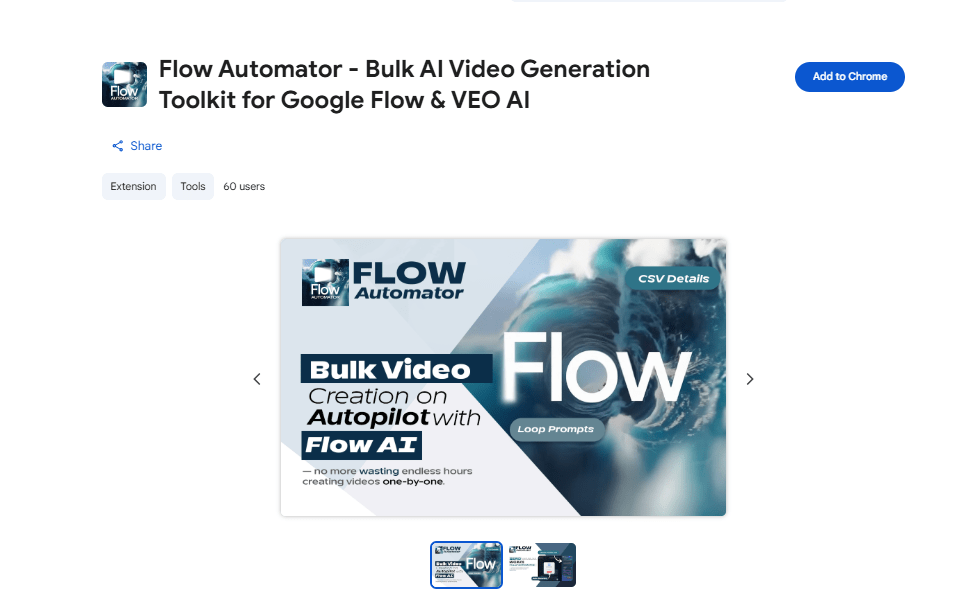
Here’s how to it:
- Open Flow Automator and go to new project
- Choose below this Option
- Image-to-Video: Upload your generated image and use the matching “video prompt” from Step 2 to animate it. This gives you precise starting frames.
- Text-to-Video: Use the video prompt directly to generate a clip from scratch.
- Select Veo 3.1 quality
- Set your aspect ratio to 16:9 (for YouTube).
- Paste the image Prompt From Step 2
- Let generate it
These AI video tools often generate unwanted dialogue. To get pure, atmospheric sound effects (machinery, nature, ambient noise), simply add “no speech” to your prompt. This keeps the focus on the process, just like the top channels do.
Generate and upscale all industrial production clips to 1080p before downloading.(upscale Process Completed)
Now, let’s try creating the industrial production video clips from the images. Switch to frames to video and upload your industrial production image. Make sure you add the prompt that was used to generate the image and press enter. Don’t forget to include the no speech command if you don’t want any of the characters talking in the video.
Step 5: Edit & Assemble Your Story
This is the easiest part. Use any editor—CapCut or Canva works perfectly. Capcut work just fine so let use that, open it and make all your industrial production video clips.

- Import all your clips.
- Arrange them on the timeline following your story’s natural flow.
- Apply a cinematic filter across the entire video (a muted or gritty look works well for this niche).
- Export in 16:9 at the highest quality.
No fancy transitions or effects are needed. The power is in the seamless, mesmerizing process.
Step 6: Create a Viral Thumbnail in Seconds
Don’t overthink this. Go back to ChatGPT and use the thumbnail prompt(Below thumbnail Prompt). Take it”s the generated prompt back to Whisk (or your preferred image generator). In seconds, you’ll have a striking, click-worthy thumbnail—no design skills required.
Thumbnail prompt:
Generate a highly detailed thumbnail image prompt in a surreal industrial-factory style, based on the TITLE: [TITLE].
CAMERA + COMPOSITION
– Close-up foreground subject, large and dominant
– Camera angled slightly to the right, not centered
– Mostly front-facing but rotated about 10–20 degrees
– Camera at chest/head height, with a mild downward tilt
– Wide-angle lens (18–24mm) to exaggerate scale
– Long production lines extending deep into the background
– Symmetrical factory layout with strong leading lines
– Deep depth of field (foreground and background both sharp)
FACTORY ENVIRONMENT
– Bright, clean industrial lighting
– Stainless-steel machinery and conveyor belts
– Workers in protective uniforms (red or yellow coats, gloves, masks, hairnets)
– Crisp, documentary-style industrial setting
ANIMAL PROCESSING STYLE (IMPORTANT)
– The animal is lying on the conveyor belt.
– A large part of its skin has been removed showing the flesh.
– The rest of the body remains fully intact
– A few animals appear in neat rows along the production line
– Workers interact with the animals (lifting, inspecting, marking, cleaning)
OVERALL FEEL
– Surreal but realistic documentary-factory aesthetic
– Dramatic, high-impact YouTube thumbnail style
– Output ONLY the image prompt (do NOT generate an image).

Scalable Automation
The entire industrial production workflow—from concept to published video—takes about an hour or less, especially with the Whisk Automator managing the heavy tasks. This makes it ideal for those with busy schedules. The NextGen Process channel demonstrated that you don’t need access to factories, costly equipment, or even a camera to produce viral industrial production content. What you need is: a system (the 6-step blueprint mentioned above), the right tools (free AI generators and automation), and consistency (regular publishing). The Whisk Automator Chrome Extension isn’t just a convenience; it turns this from a “great idea” into a scalable business. By automating the most time-consuming aspect (image generation), you can dedicate your time to storytelling, optimization, and growth.