
- Chrome Extension Development
- Chrome Extension Upgrades
- Chrome Extension Bug Fixing
- Backend & API Development
- Automation Development
- Email and Google Auth Implementation
- Payment Integration
- Performance Improvements
- Chrome Store Thumbnail Design
Turn Envato VideoGen Into a Hands-Free Video Factory
Bulk Generate Envato Videos | Save Hours with One-Click Automation
Accelerate your video production with Envio, the must-have bulk automation tool for Envato VideoGen. Stop wasting time on repetitive clicking and start generating massive libraries of high-quality stock footage instantly. Built for stock contributors and agencies, this extension automates the entire process so you can deliver professional video assets at scale without the manual grind.
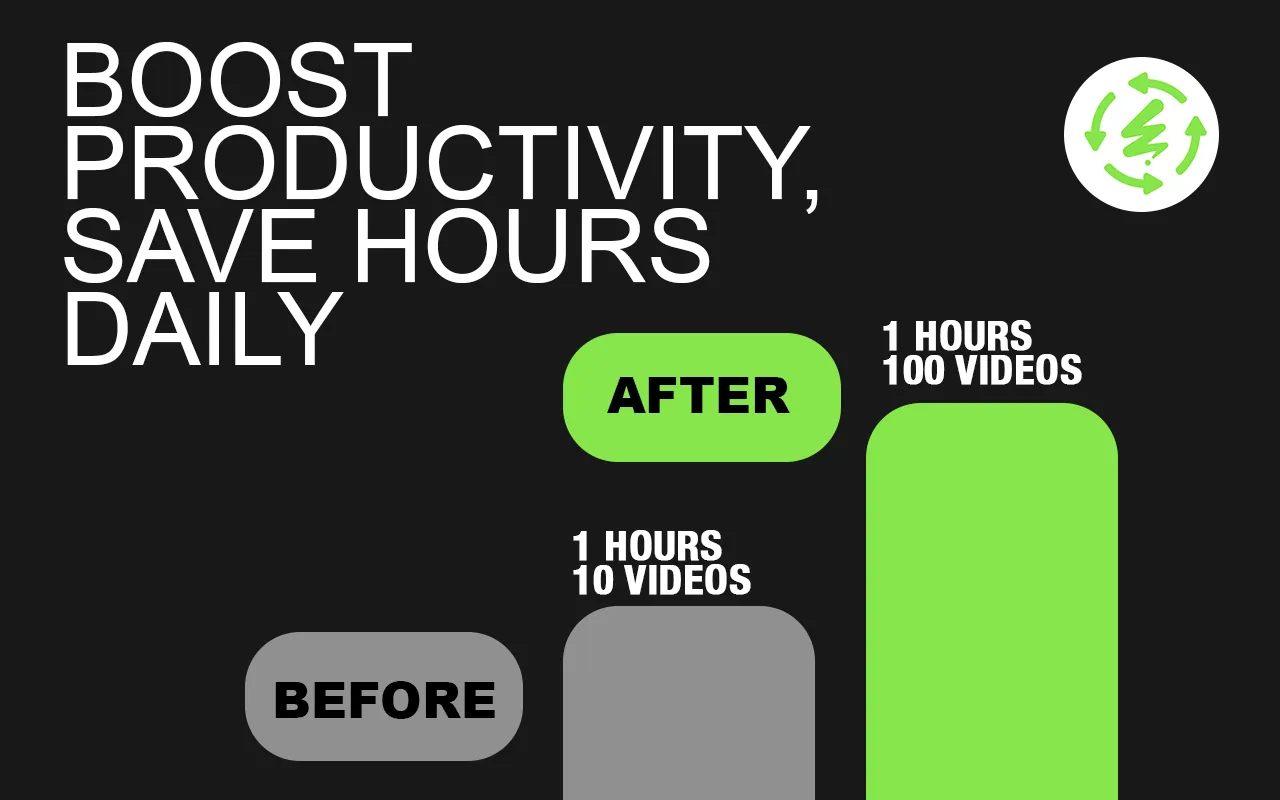

Why Choose Envio
If you’re a creator or marketer, you know how time-consuming manual video generation can be. Whether you are uploading to Envato Elements or managing social media channels, generating videos one by one creates a massive bottleneck.
Envio eliminates the repetitive work. With this extension, you can:
- Save countless hours of manual work every week.
- Download hundreds of videos automatically to your device.
- Scale your stock portfolio faster than the competition.
- Grow your content business with ease.
Key Features of Envio
Accelerate your content creation with Envio, the must-have bulk automation tool for Envato VideoGen. Stop wasting time on repetitive clicking and start generating massive libraries of high-quality stock footage instantly. Built for stock contributors and social media managers, this extension automates the entire process so you can deliver professional video content at scale without the manual grind.
- Feature 01
Bulk Video Generation
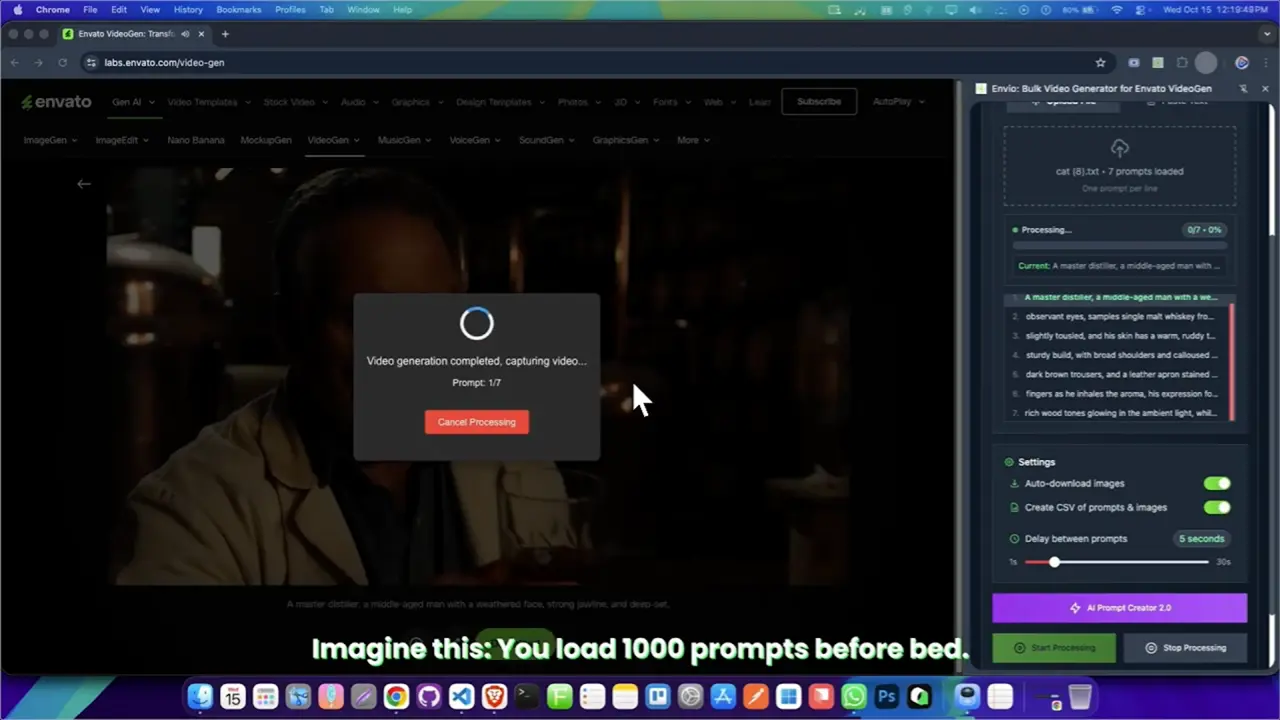
Run multiple text prompts at once and let Envio generate videos automatically. Simply paste your list, and the extension handles the entire queue without interruption.
- Feature 02
Instant Auto-Download
Every video is automatically detected and saved to your device immediately upon completion. No more manual clicking "Download" for every single file.
- Feature 03
Unlimited Prompt Processing
Add as many prompts as you want—whether it's 10 or 1000—and process them all in one continuous flow.
- Feature 04
High-Quality Output
Designed for professionals. Generate high-resolution video assets perfect for stock portfolios, commercial projects, and social media.
- Feature 05
One-Click Automation
No complex setup or coding required. Just install the extension, input your prompts, and let it work in the background.
- Feature 06
Seamless Chrome Integration
Works directly in your browser on the Envato VideoGen platform. Lightweight, fast, and secure.
Introduction Video

How It Works
- Step 01
Install Extension
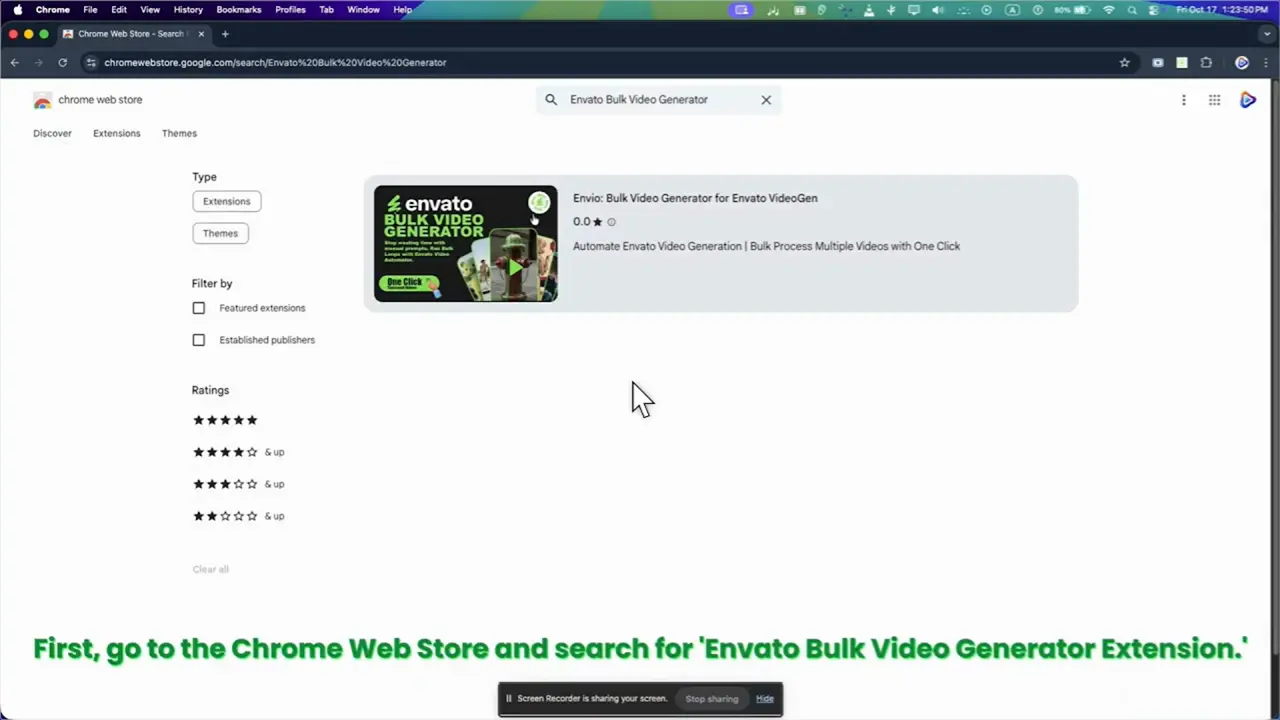
Go to the Envio Chrome Web Store page and click on the "Add to Chrome" button. Once installed, the extension icon will appear in your browser’s toolbar.
- Step 02
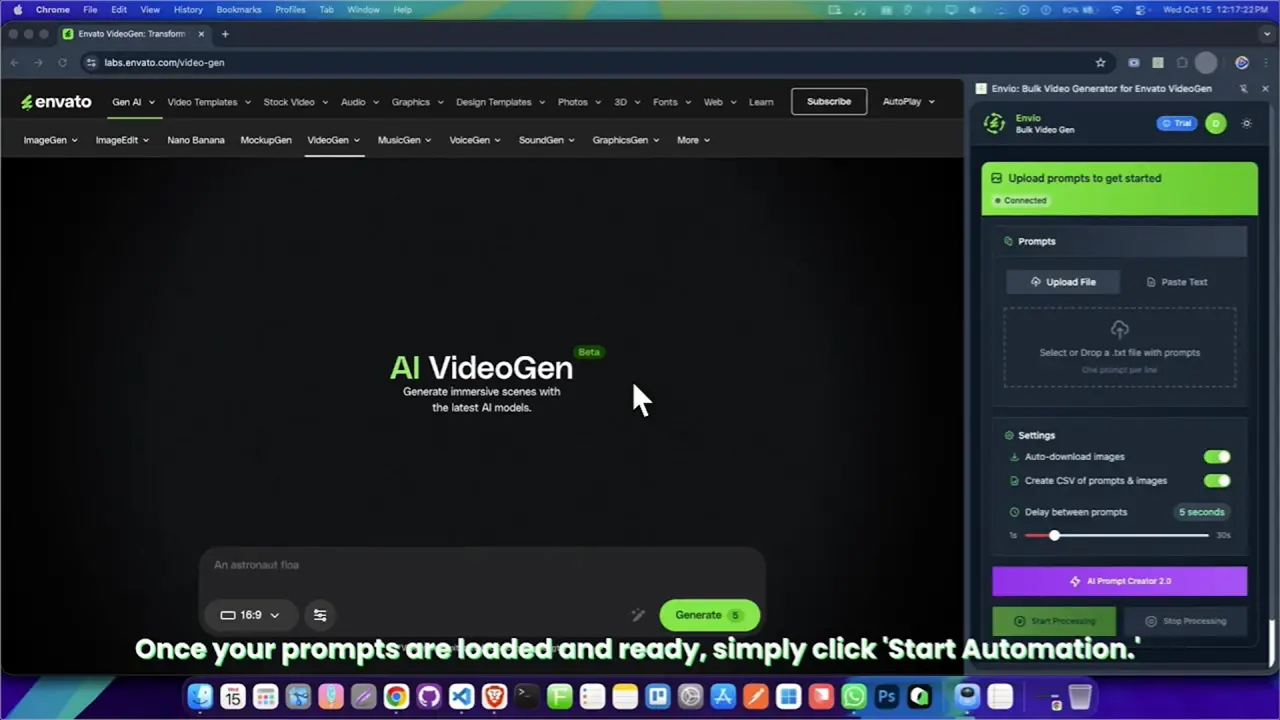
Upload Prompts
You can input multiple prompts at once for bulk generation, enabling you to create several images in one go.
- Step 03
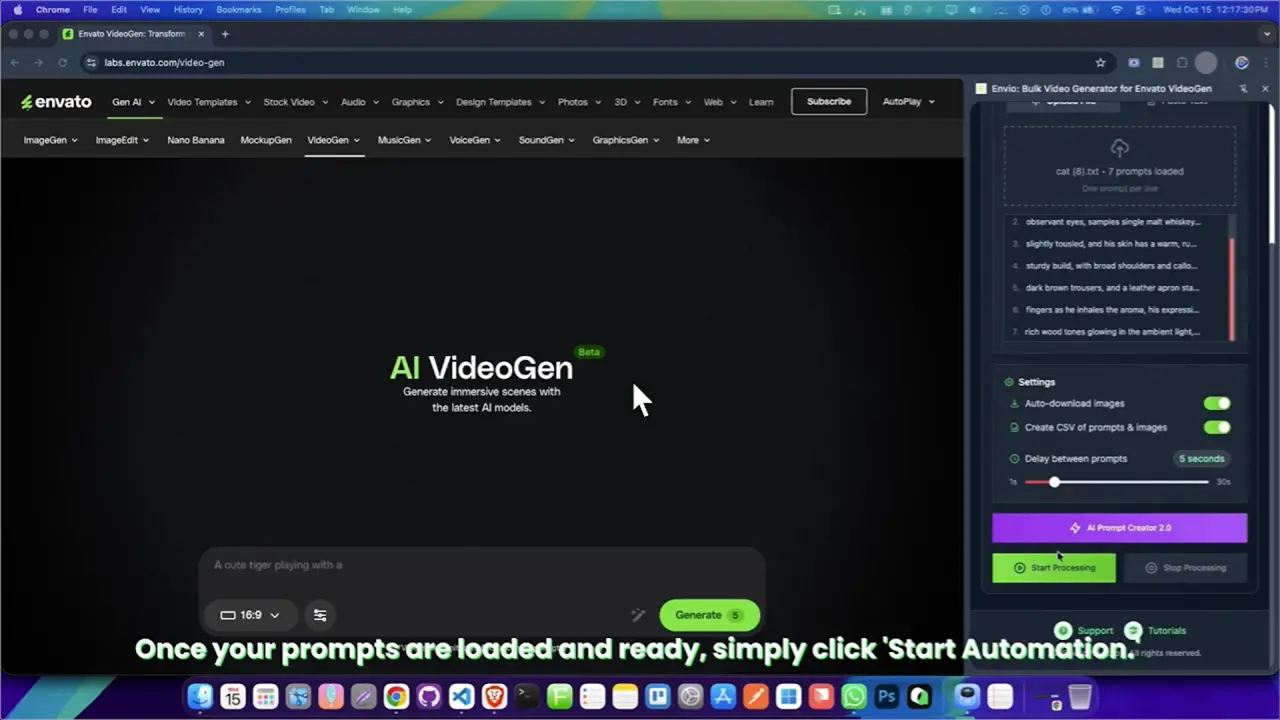
Start Bulk Image Generation
Click the “Generate” button. Envio will automatically process all your prompts and initiate image generation in bulk.
- Step 04
Auto-Download
Once the images are generated, Envio will automatically download them to your device without you having to click anything.
Our Subscription Plans
Monthly
$9.99
- Full access to envio tools
- Auto download manager
- AI prompt creator
- Basic support
Yearly
$49.99
- Full access to Envio tools
- Auto download manager
- AI prompt creator
- Basic support
LifeTime
$69.99
- Full access to Envio tools
- Auto download manager
- AI prompt creator
- Basic support
FAQ
Let’s address your questions today!
Send a support ticket with your question or feedback and the AutoPlayLabs team will reply by email.
Submit a support ticket→Envio Automator connects directly with your Google account to automate image generation.