- Chrome Extension Development
- Chrome Extension Upgrades
- Chrome Extension Bug Fixing
- Backend & API Development
- Automation Development
- Email and Google Auth Implementation
- Payment Integration
- Performance Improvements
- Chrome Store Thumbnail Design
Turn Google Flow Into a Hands-Free Video Factory
Bulk Generate Google Flow & Veo Videos & Images | Save Hours with One-Click Automation
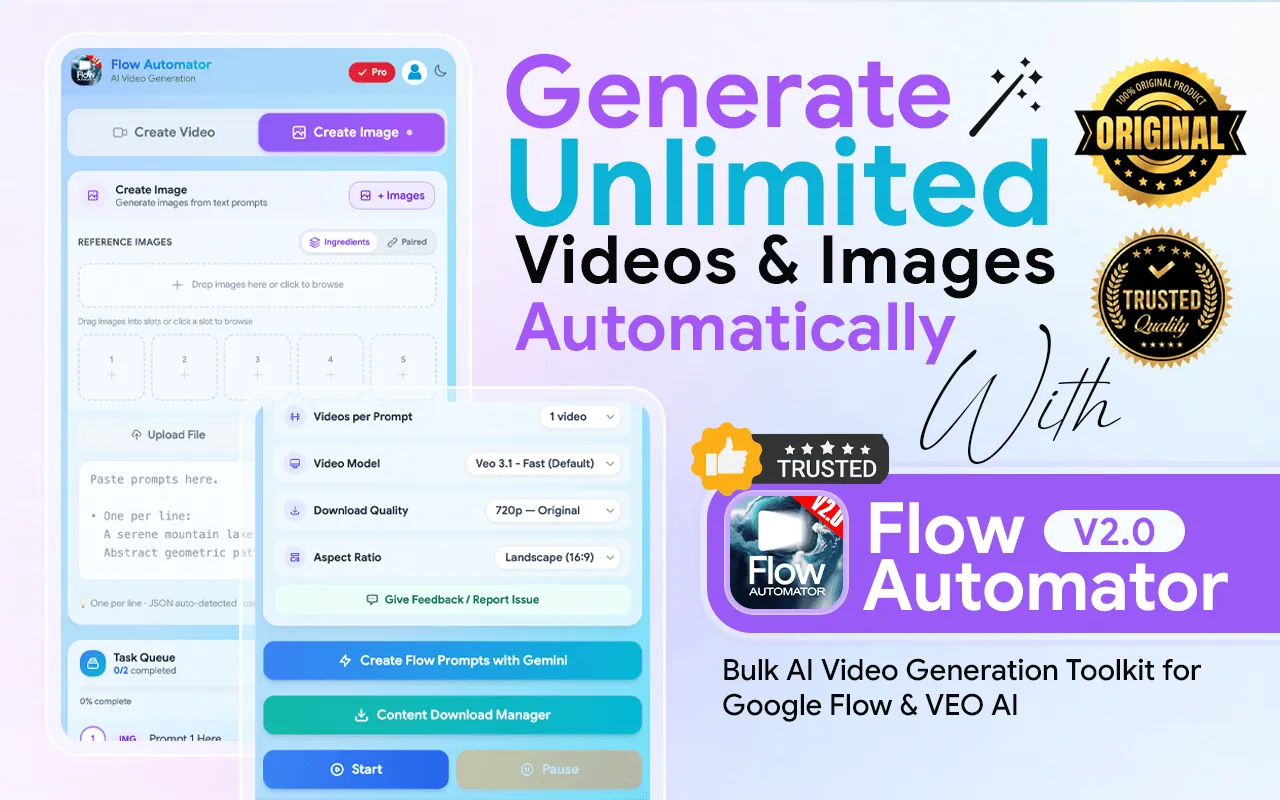
Accelerate your video or image production with Flow Automator, the ultimate bulk automation tool for Google Flow, Veo, Nano banana, and Imagen. Stop wasting time on repetitive clicking and start generating massive libraries of AI videos or Images instantly. Built for power users and agencies, this extension automates the entire pipeline—from prompting to downloading—so you can scale your content production effortlessly.
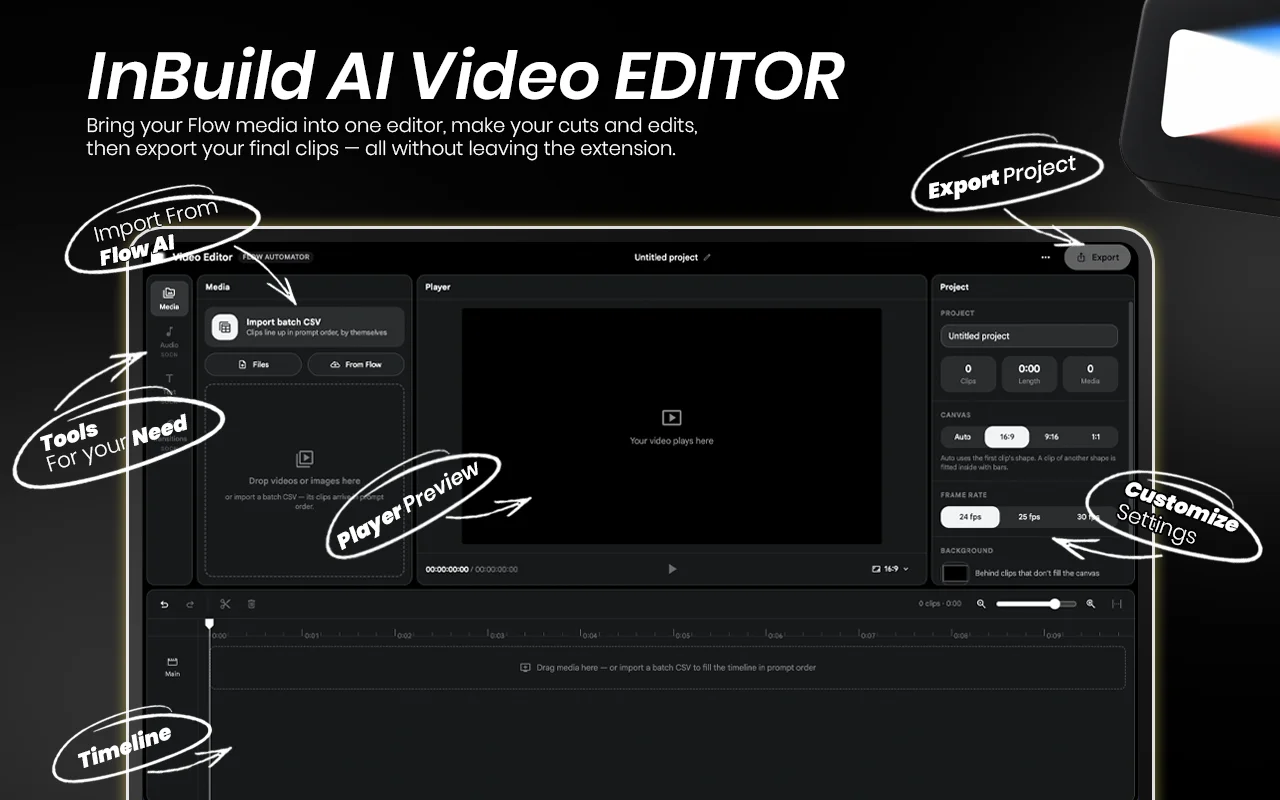
Why Choose Flow Automator
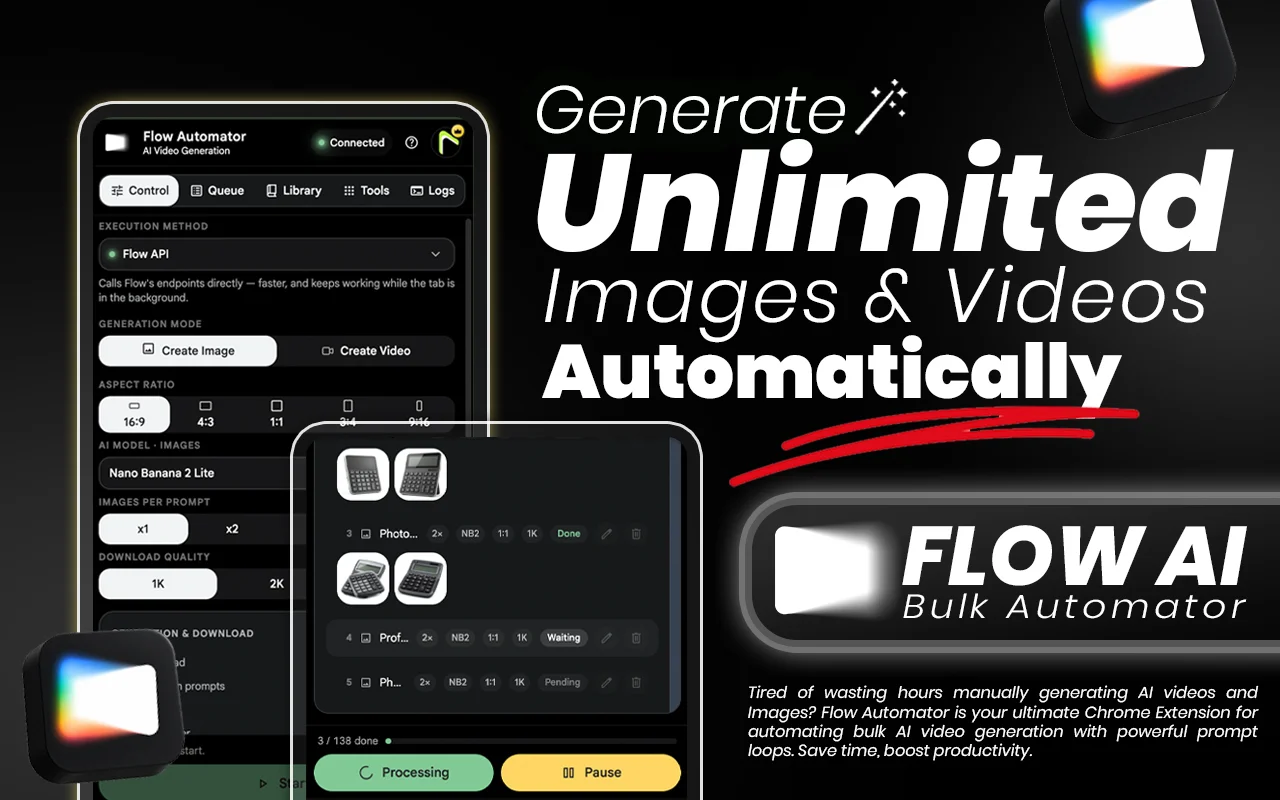
Instead of sitting at your computer to generate images and videos one by one, this tool allows you to bulk-load prompts, pair reference assets, and queue dozens of tasks simultaneously. By automating the repetitive steps of uploading, setting parameters, and waiting for renders, you free up your time to focus on the big picture—creative strategy. Whether you are a content creator, marketer, or designer, Flow Automator ensures your workflow remains organized, consistent, and significantly more productive.
- Turn manual work into minutes of setup.
- Automate the entire pipeline: Upload, Generate, Detect, Download.
- Support the latest models: Fully compatible with Veo , Nano banana, Imagen Quality.
- You can upload Multi reference images.
- Scale without limits: Generate 10, 100, or 10,000+ videos & Images automatically.
How It Works
- Step 01
Install Extension
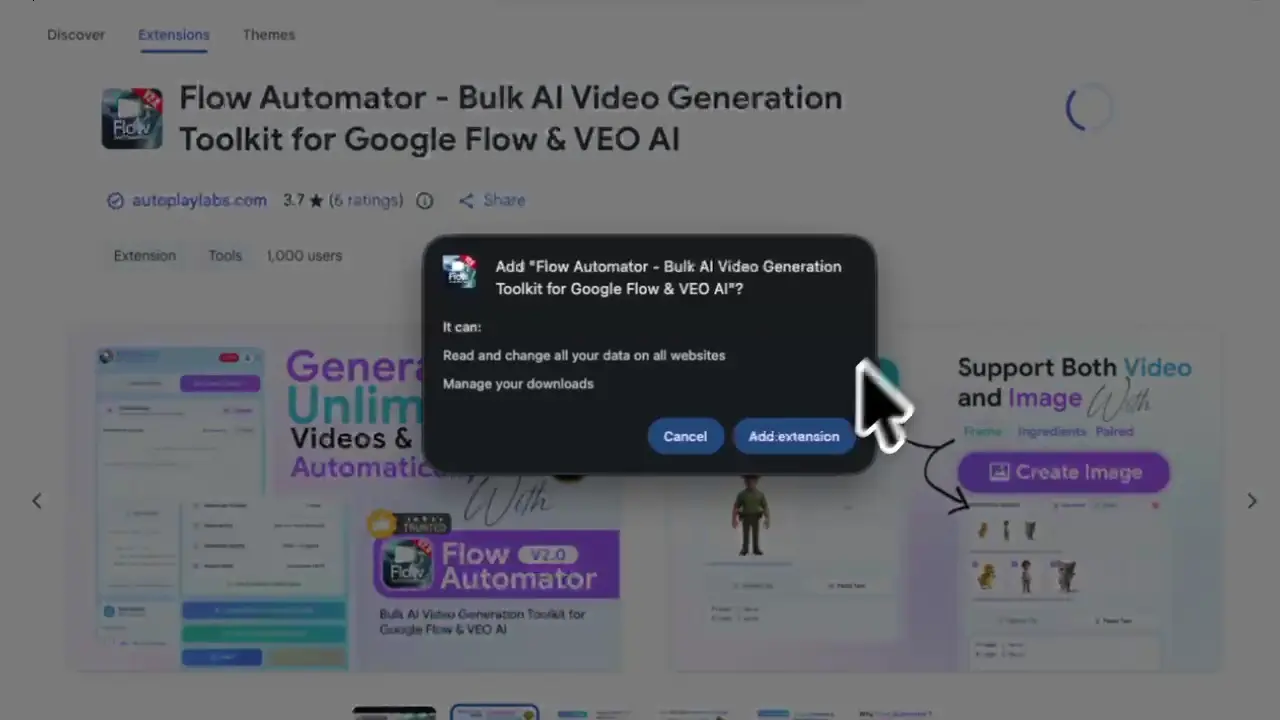
Go to the Flow Chrome Web Store page and click on the "Add to Chrome" button. Once installed, the extension icon will appear in your browser’s toolbar.
- Step 02
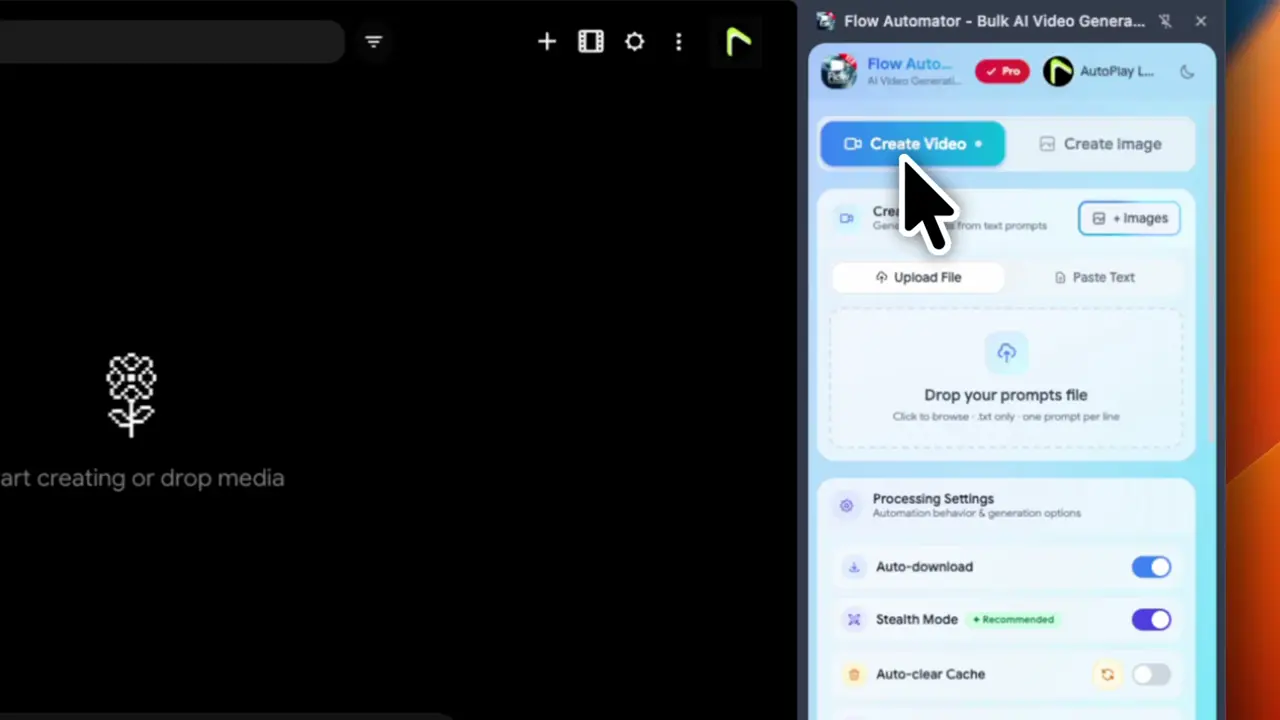
Upload Prompts
You can input multiple prompts at once for bulk generation, enabling you to create several images & Videos in one go.
- Step 03
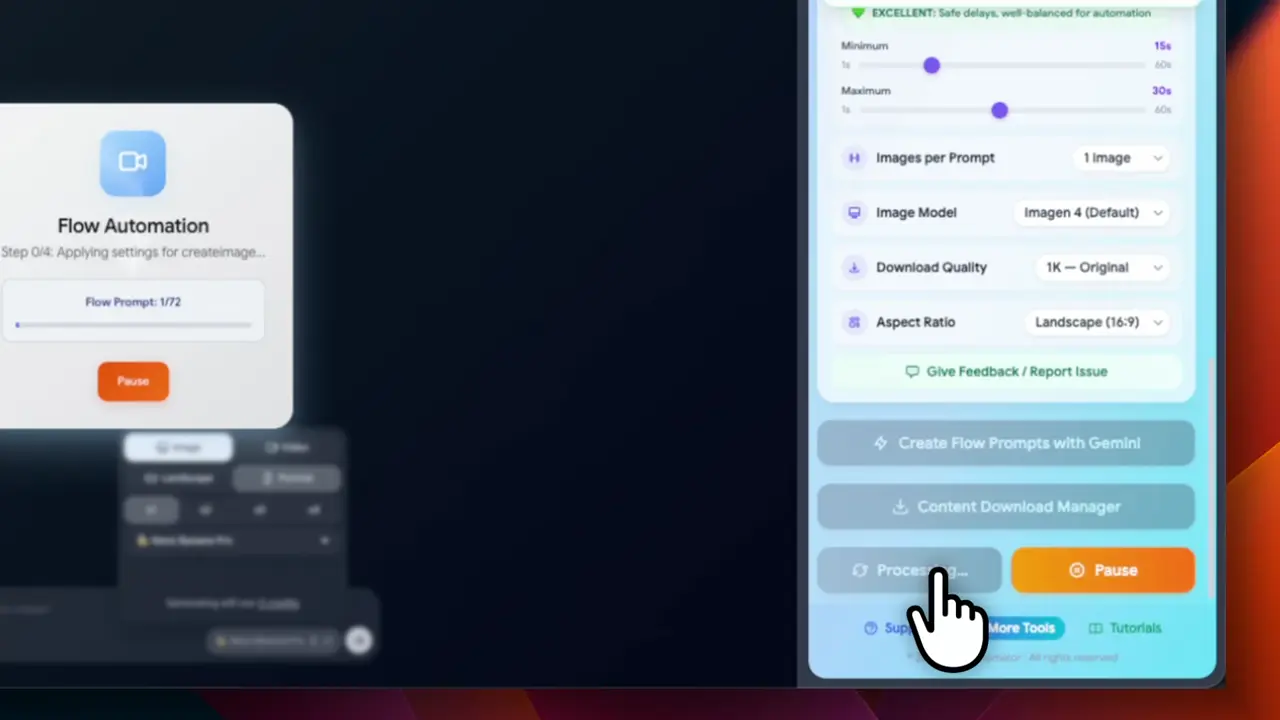
Start Bulk Image Generation
Click the “Start” button. Flow will automatically process all your prompts and initiate image generation in bulk.
- Step 04
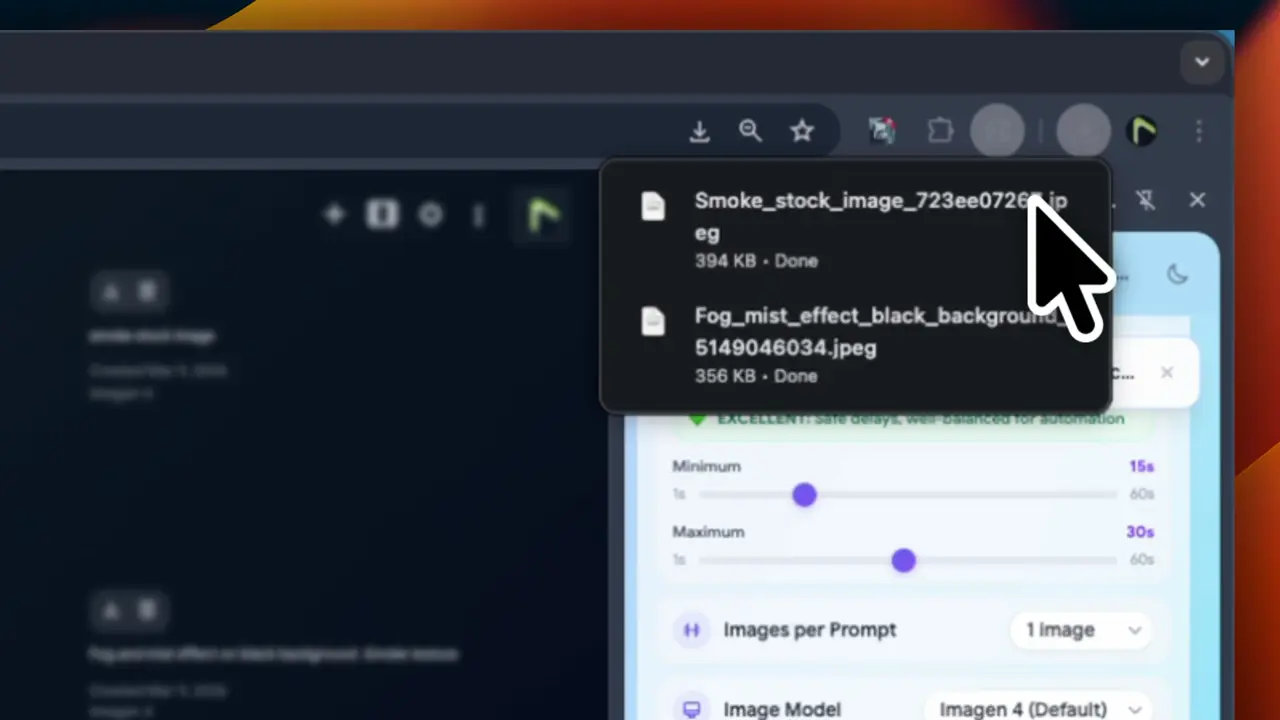
Auto-Download
Once the images or videos are generated, Flow will automatically download them to your device without you having to click anything.
Key Features of Flow Automator
Accelerate your video and image production with Flow Automator, the must-have bulk automation tool for Google Flow, Nano banana, Imagen & Veo. Stop wasting time on repetitive clicking and start generating massive libraries of high-quality AI videos or images instantly. Built for agencies and power users, this extension automates the entire pipeline so you can deliver professional content at scale without the manual grind.
- Feature 01
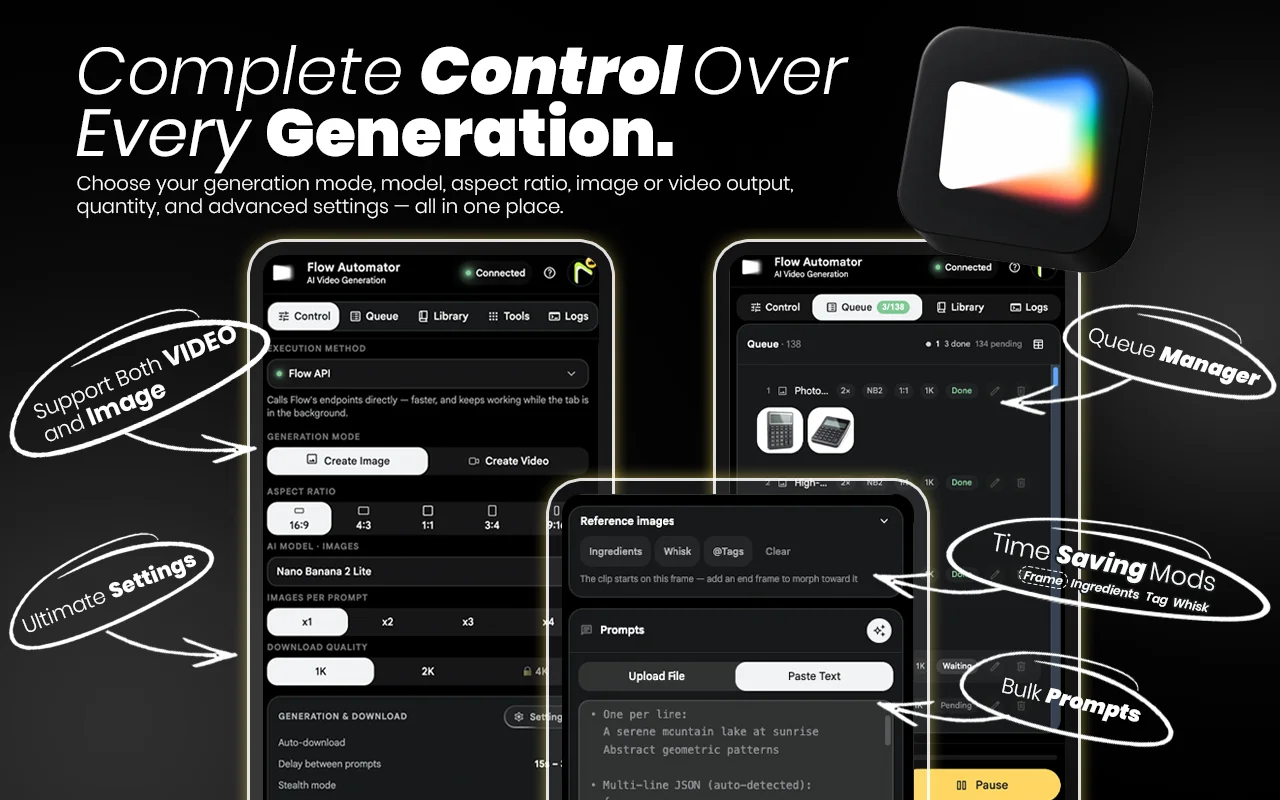
Create Bulk Videos
You can Create Bulk Videos. Then select the Create video option. You can input multiple prompts at once for bulk generation, enabling you to create several videos in one go.
- Feature 02
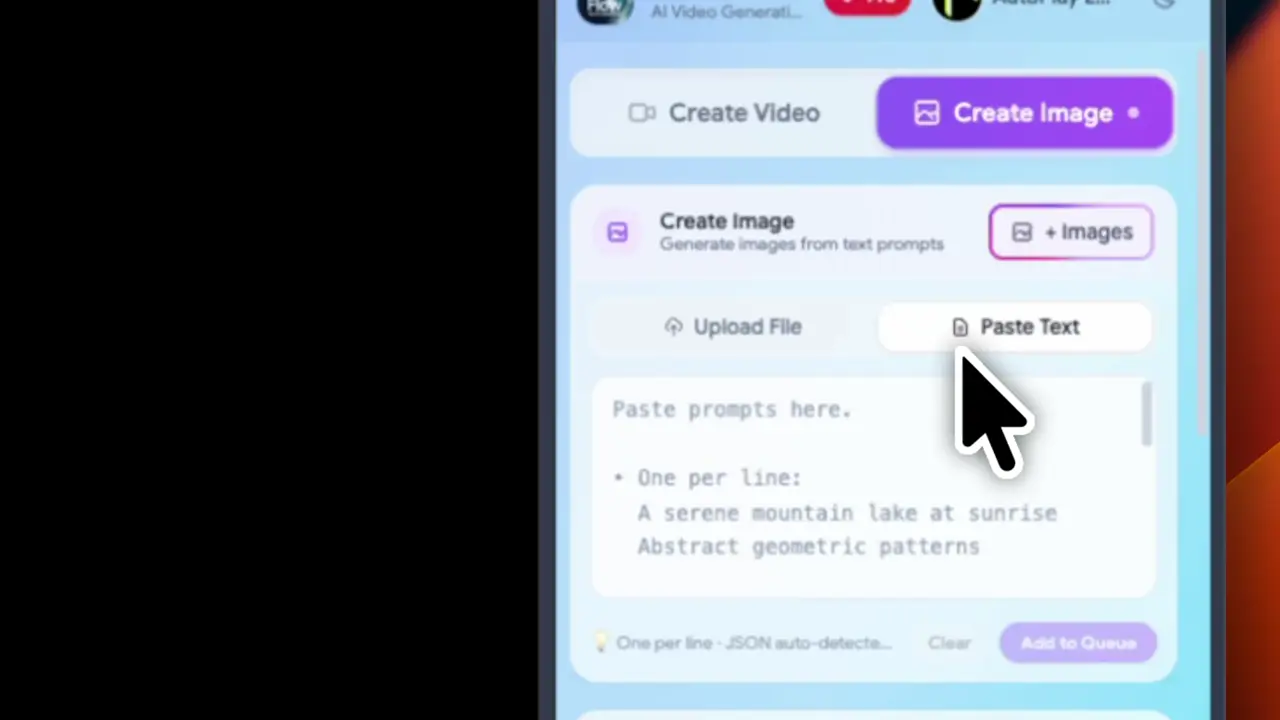
Create Bulk Images
You can Create Bulk Images. Then select the Create image option.You can input multiple prompts at once for bulk generation, enabling you to create several images in one go.
- Feature 03
Multi Video Reference Mode
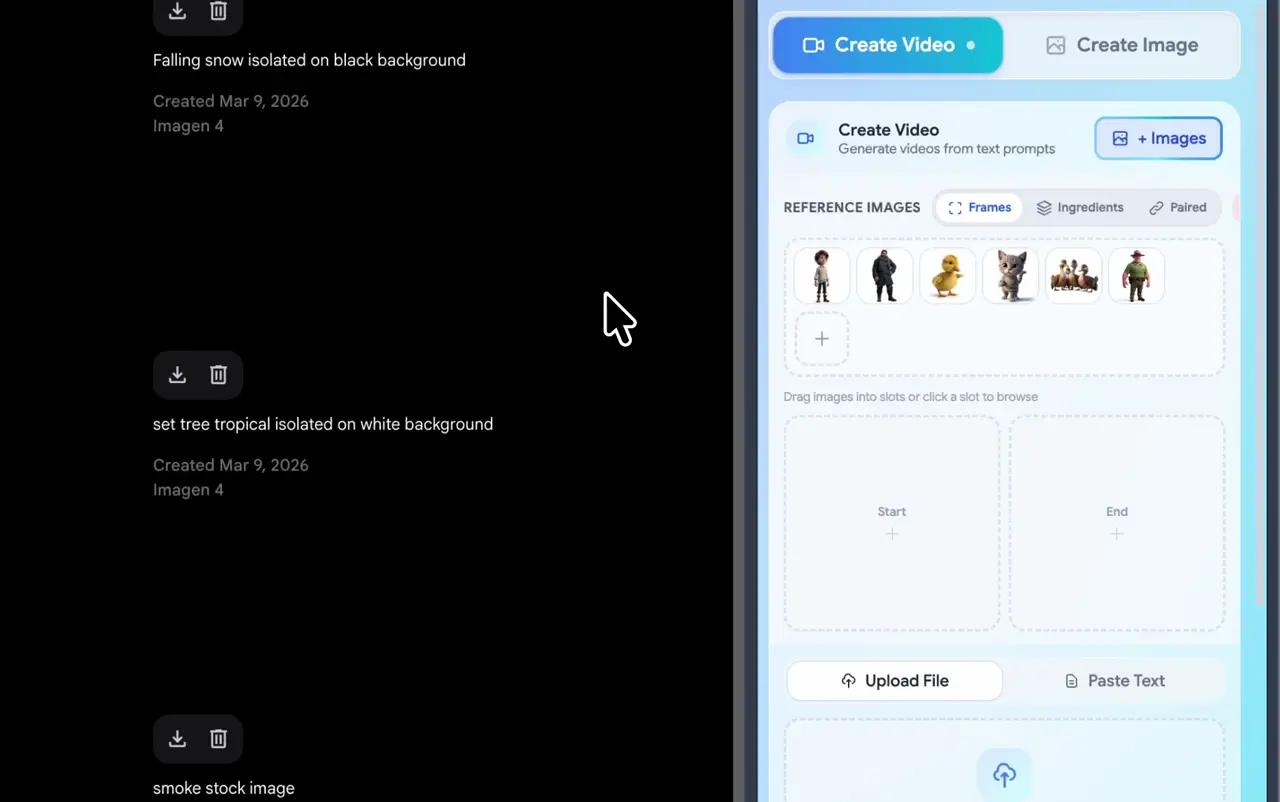
First Click the "Image". Select and Add Reference Images in to Extension and drag Drop to Your Prompts. Not Repetitive Reference image Uploading.
- Frame:- The Video starts from the start image that is added, and the video ends with the end image. The corresponding prompt should be added to the prompt box.
- Ingredients:- The video can be created by adding the reference ingredients images one by one and adding the prompt in the prompt box.
- Pair:- Prompt should be added line by line, related to the images to be added.(ex: 1image- prompt 1)
- Feature 04
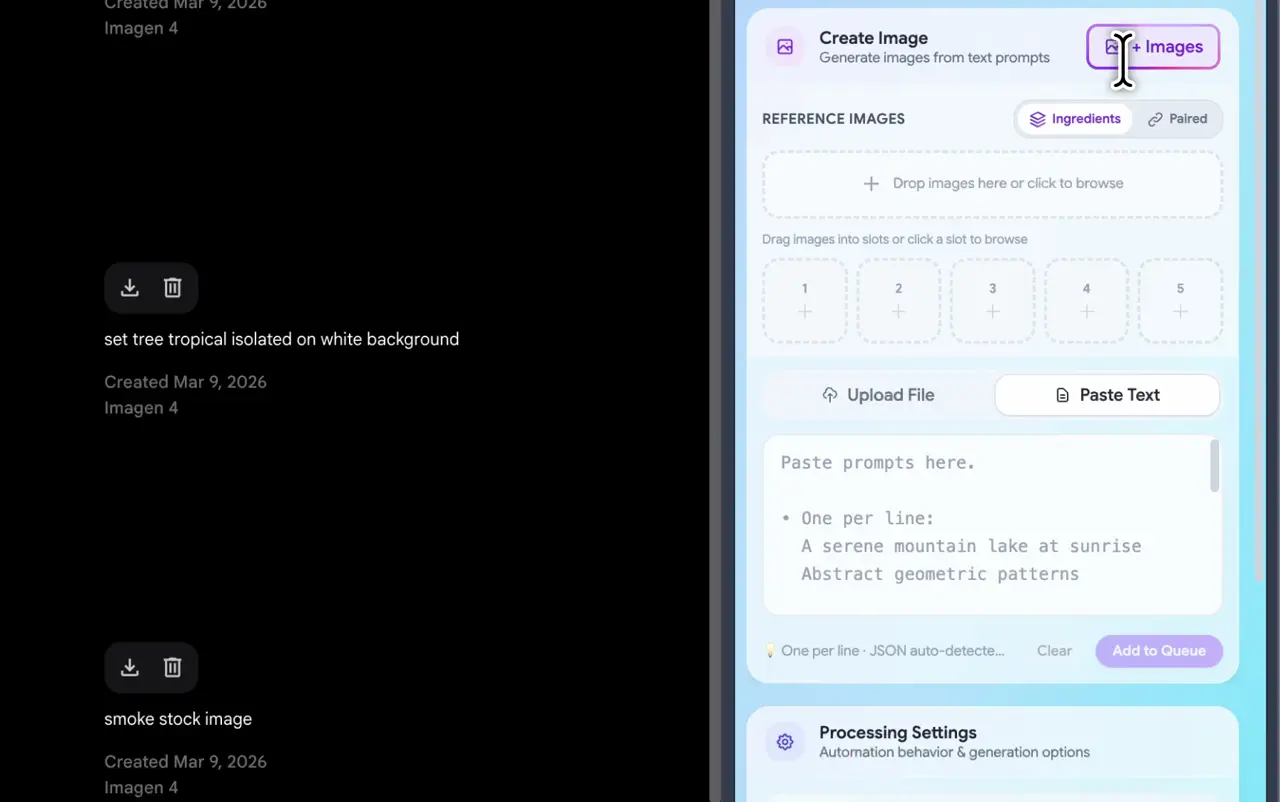
Multi Image Reference Mode
You can create more images by using multi reference image. Select and Add Reference Images in to Extension and drag and drop them to Your Prompts. Not Repetitive Reference image Uploading.
- Ingredients: – The image can be created by adding the reference ingredients images one by one and adding the prompt in the prompt box.
- Pair:- Prompt should be added line by line, related to the images to be added.(ex: 1image- prompt 1)
- Feature 05
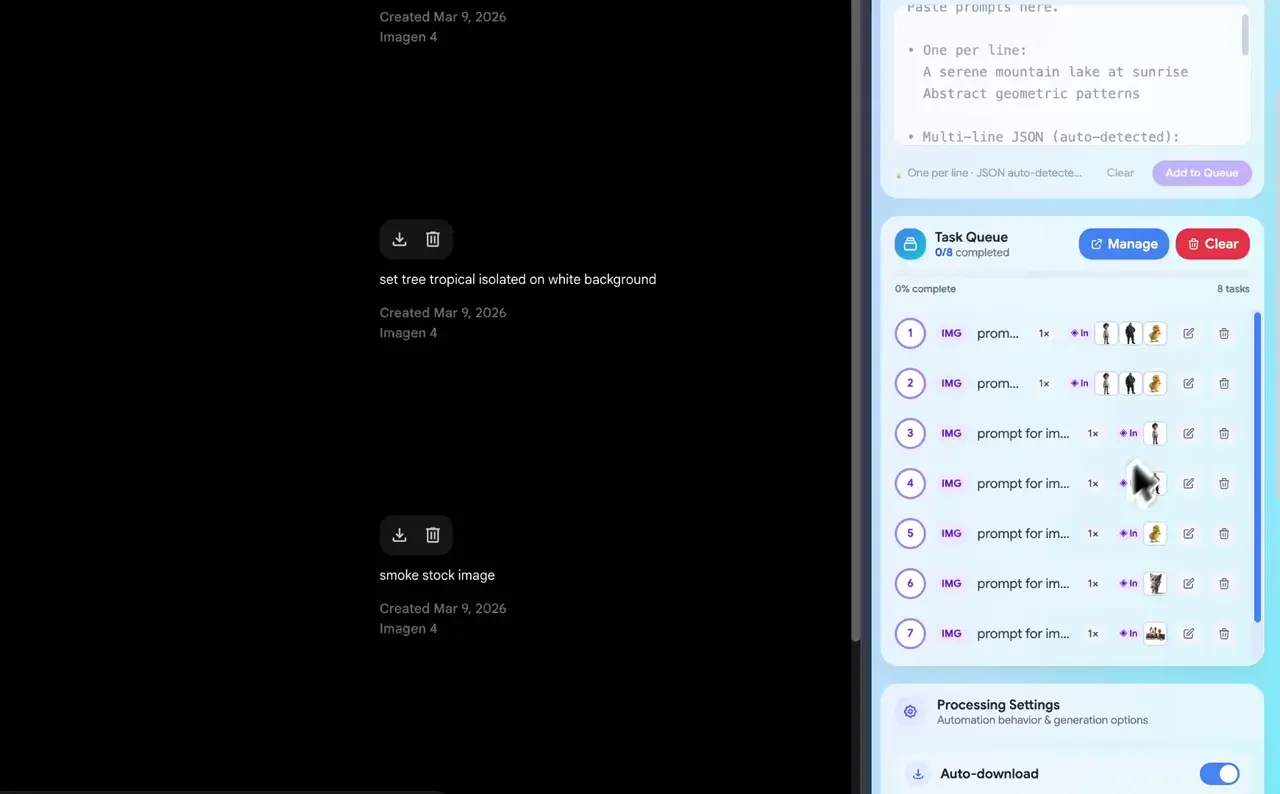
Prompt Queue Manager
Click the “Edit icon” . Once you have customized your settings, click the “Save” button. Click the Manager and open the pop-up window.
- Feature 06
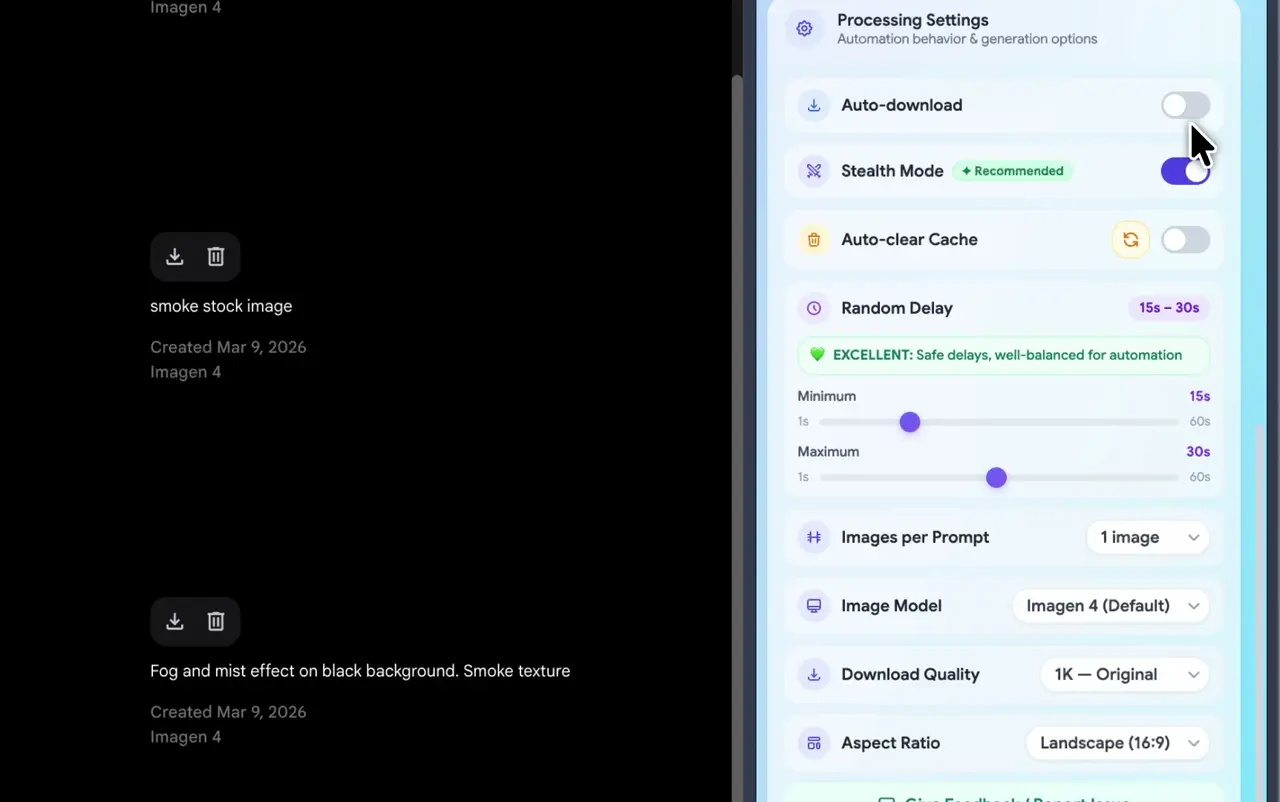
Processing Settings
All tasks have a single line and its advance setting can be changed when needed.
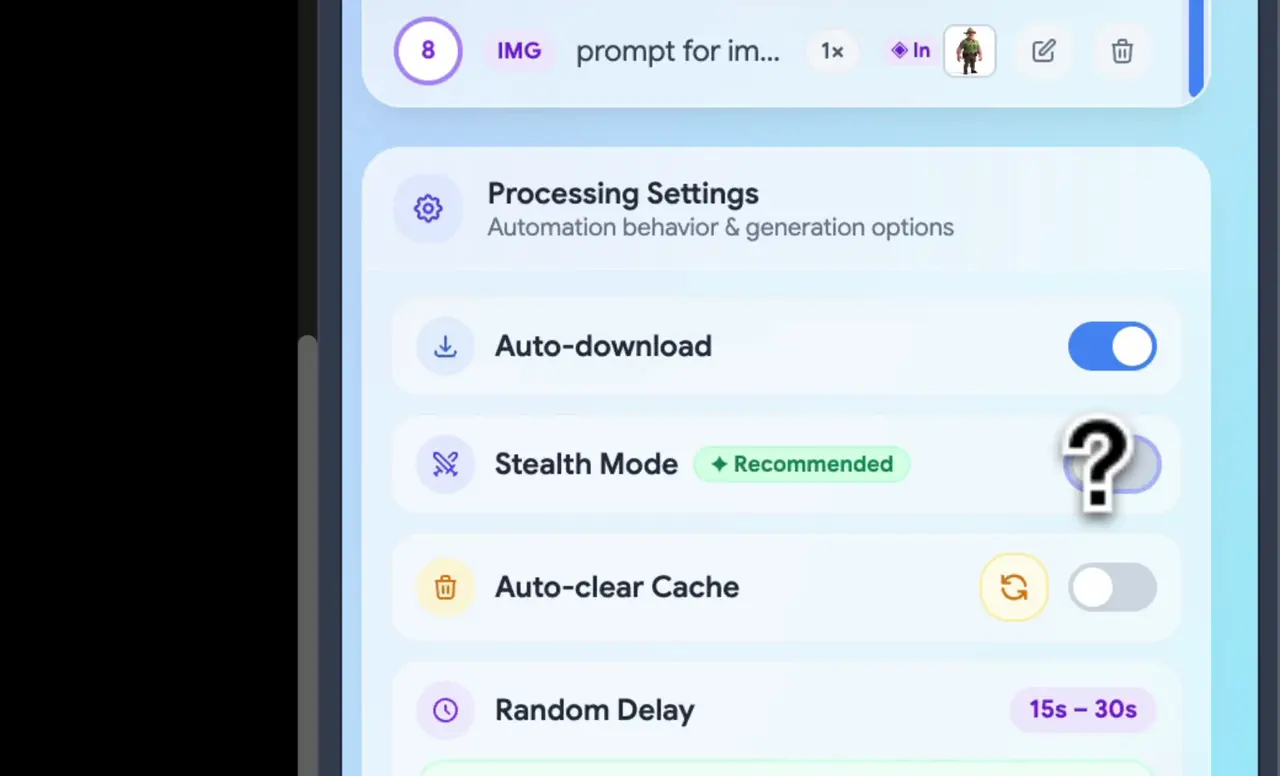
- Feature 07
Advance Stealth Mode
If you want to simulate human behaviors for characters. You can use this option and customize stealth mode.
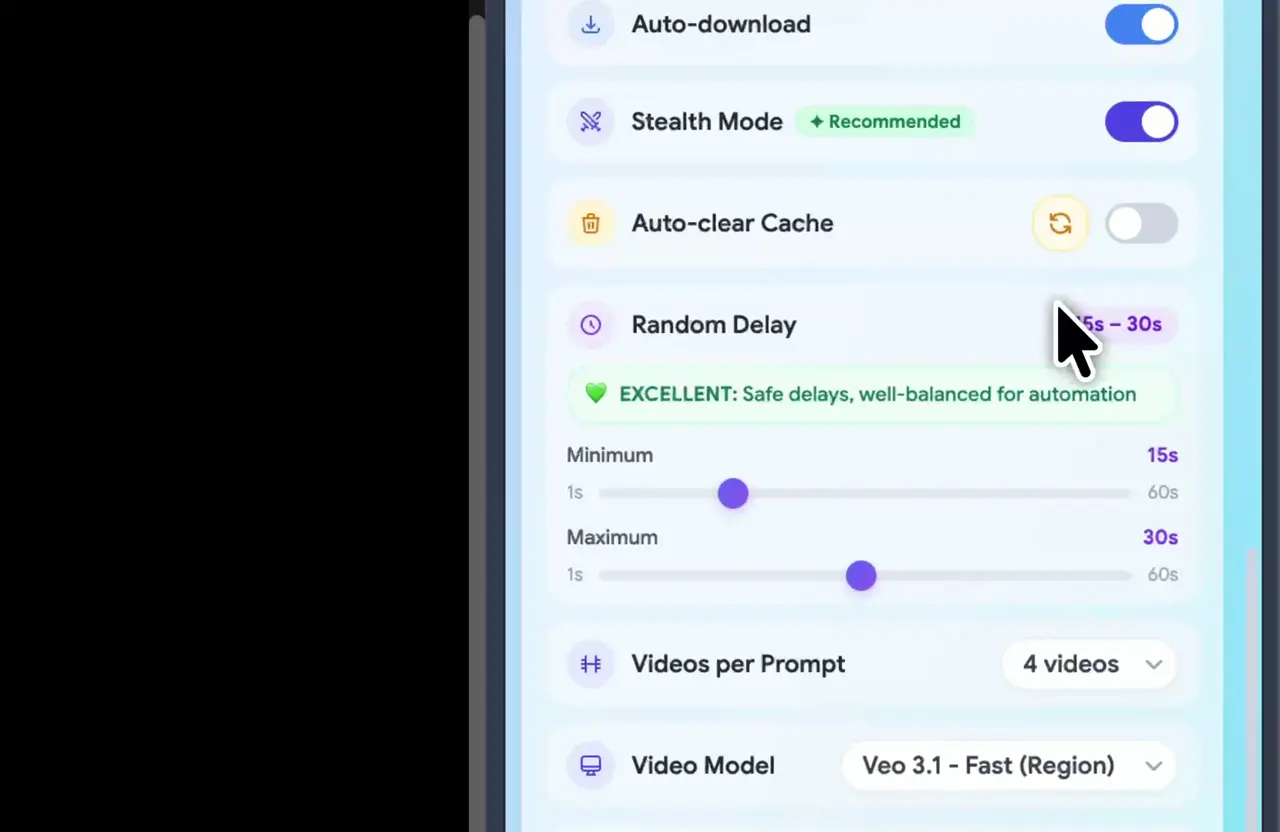
- Feature 08
Auto Cache Cleaner
You can use this option to clear the cache when generating images or videos.
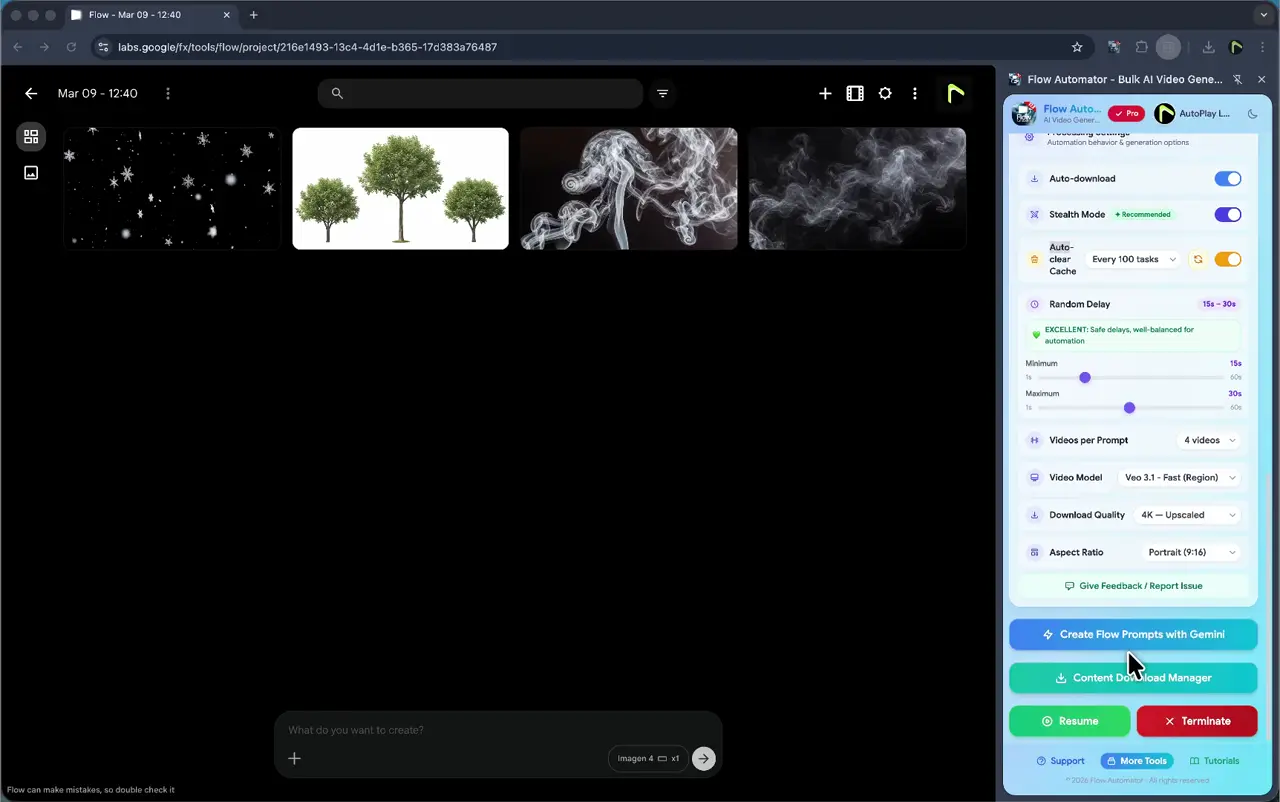
- Feature 09
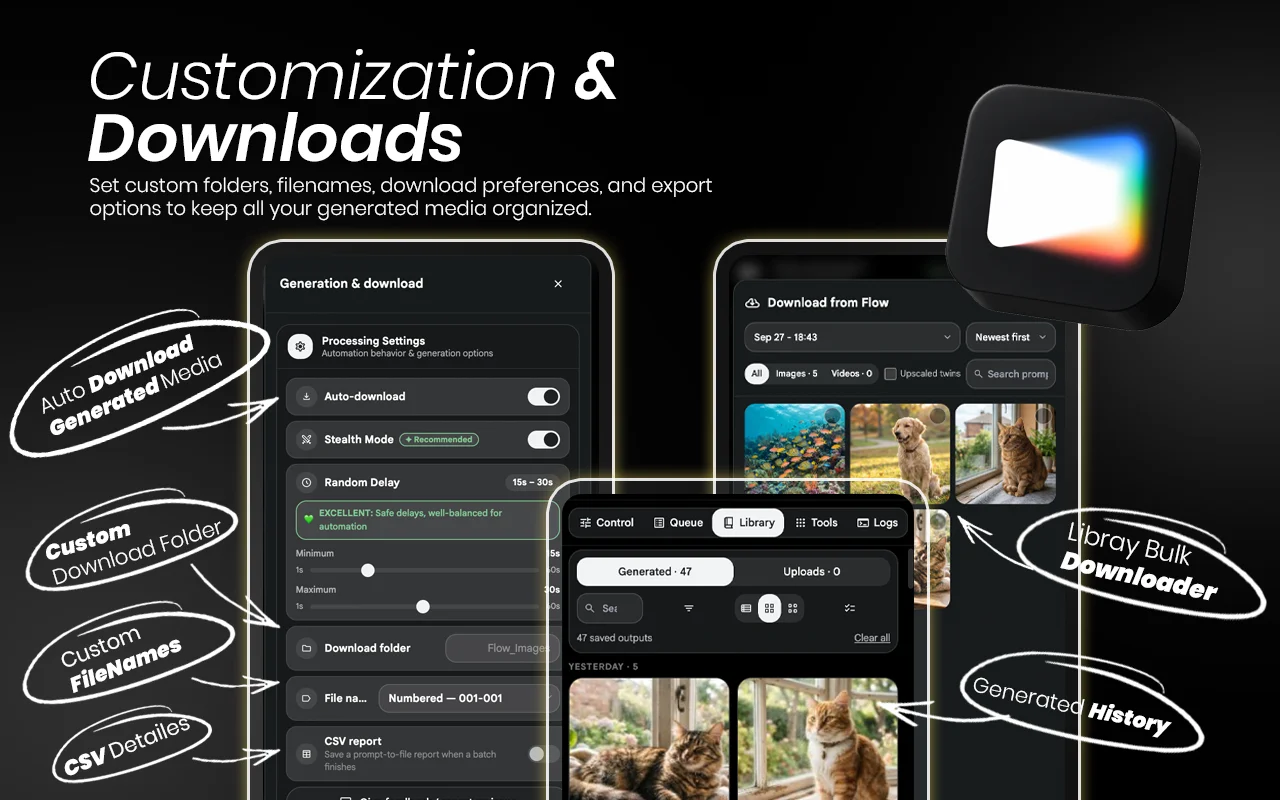
Bulk Content Downloader
The Content Download Manager is your final stop for saving your creations. It features easy Selection options that let you select all, deselect all, or filter your files by image only or video only.
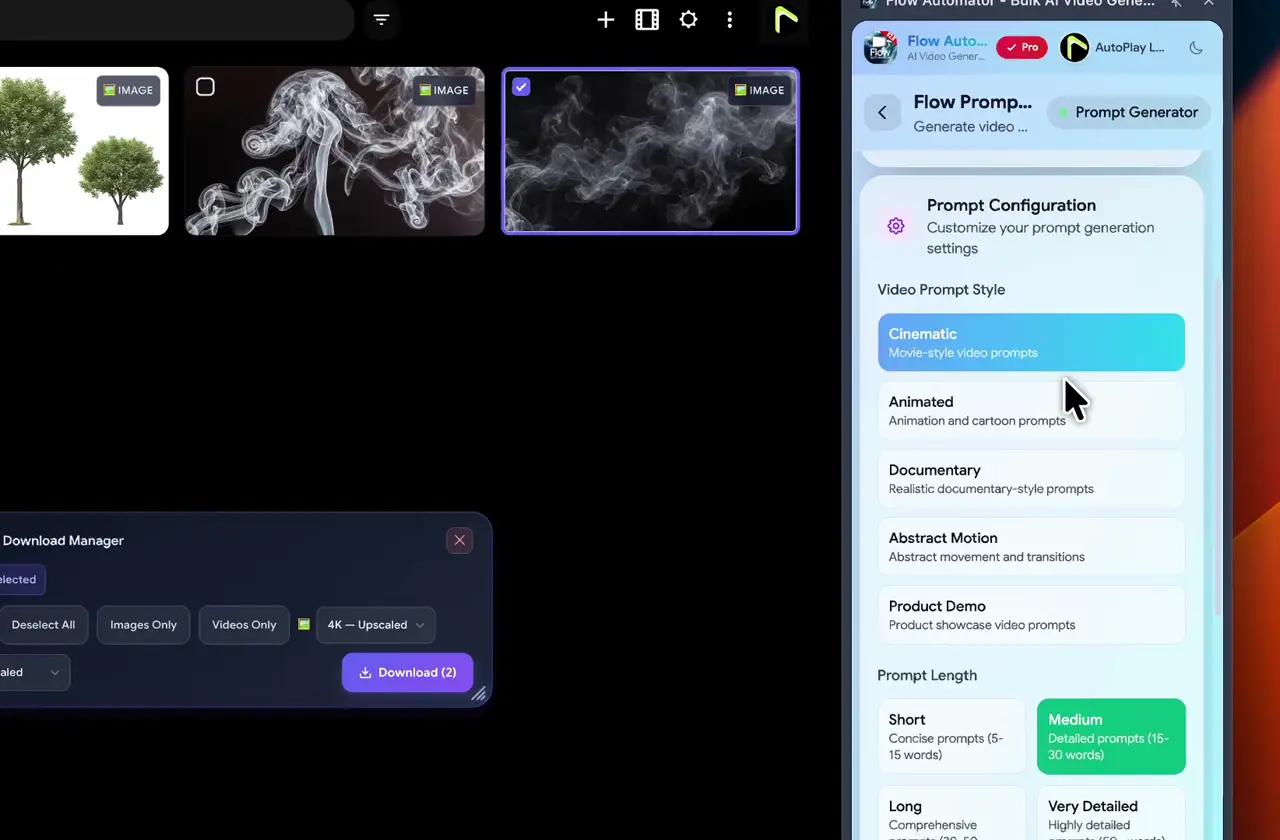
- Feature 10
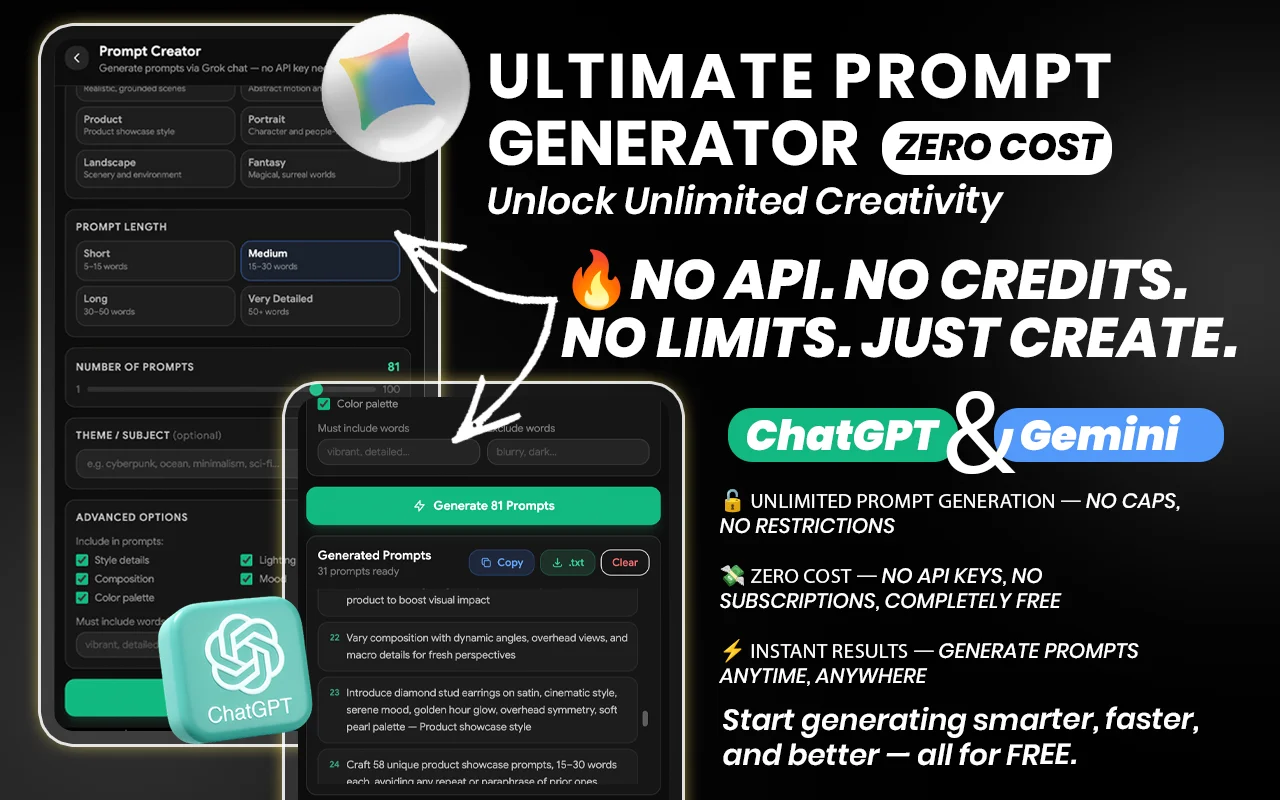
AI prompt Generator
The AI Prompt Creator is your built-in brainstorming partner for overcoming creative blocks. This feature provides an extensive list of prompt ideas designed to inspire unique and high-quality visuals.
Introduction Video
“best flow automation extension i've ever used, other extensions on the web store were very much time taking but this was very easy and fast. loved it ♥️. also the support system is very quick, i had an issue and they solved it in just minutes.”
Mohammad Hashir12 Nov 2026 · Chrome Web Store “hand down this is the best app out for flow”
shawn whitaker7 May 2026 · Chrome Web Store “Nice Extension with Lot of Features , 10/10”
marcus holloway2 Apr 2026 · Chrome Web Store “Easily the best extension for automating Google Flow video generation. Bulk creation, automatic downloads, and smooth automation. Unlike other extensions, this one has a much cleaner UI that makes everything easy to understand. Tried other tools, but this one is on another level.”
Alan fin6 Mar 2026 · Chrome Web Store
“Amazing tool and wonderful support team! I am extremely satisfied with this extension. It functions perfectly for my workflow. A quick tip for everyone: just split your prompts into smaller batches and keep the random delay at a "Very Safe" level, and you won't face any issues generating your images. Also, a huge shoutout to the support team—they are genuinely helpful and care about their users. 5 stars all the way!”
Dang Lien Chi16 Jun 2026 · Chrome Web Store “nice extension , its makes my workflow so much easier , highly recemented”
Arthur Morgan21 Apr 2026 · Chrome Web Store “Good extension for Automation. Thank You.”
Tejas Sheth22 Mar 2026 · Chrome Web Store “I tried many extensions to automate Google Flow, but this is the only one that actually has all the functionality I need. Nothing else comes close. It works reliably and makes my workflow much faster. Easily the best Flow automation tool available.”
MADUSHI BANDARA13 Jan 2026 · Chrome Web Store
Reviews shown verbatim from the Chrome Web Store · checked 14 Nov 2026
Our Subscription Plans
Monthly
$4.99
- Full access to Flow tools
- Auto download manager
- AI prompt creator
- Basic support
Yearly
$29.99
- Full access to Flow tools
- Auto download manager
- AI prompt creator
- Basic support
LifeTime
$49.99
- Full access to Flow tools
- Auto download manager
- AI prompt creator
- Basic support
FAQ
Let’s address your questions today!
Send a support ticket with your question or feedback and the AutoPlayLabs team will reply by email.
Submit a support ticket→Flow Automator connects directly with your Google Labs Flow account to automate image generation.