

Gemini Image Downloader – The Power Tool for Google Gemini AI Images.
Effortlessly save your AI-generated creations from Google Gemini. Our extension automates the manual “Save As” process, removes visible watermarks, and organizes your files into neat, project-based folders with one click.

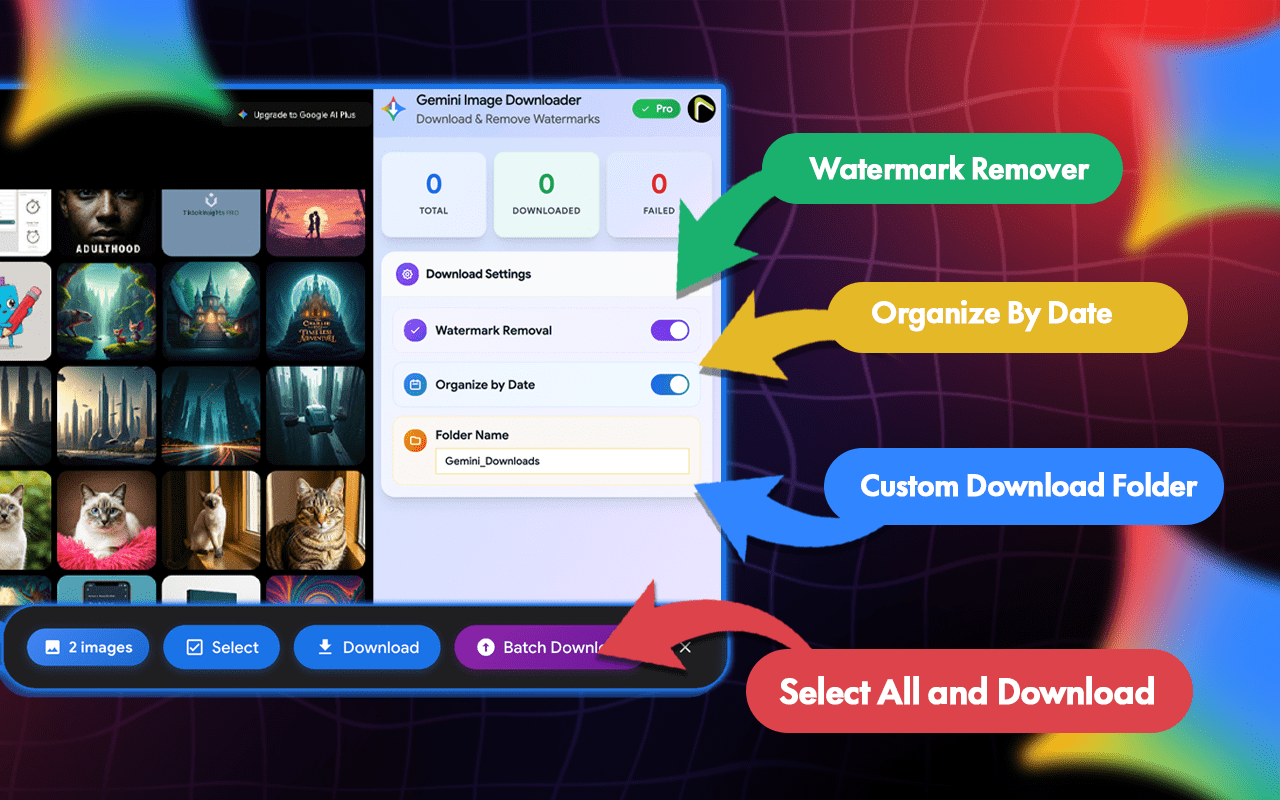
Manually downloading every variation from Gemini is slow and results in cluttered folders. Creating images in Gemini is simple. Downloading and organizing them efficiently? That’s where this extension helps. With this tool, you can:
Our advanced automation architecture bridges the gap between AI-driven creativity and professional asset management. By integrating multi-threaded processing with mathematical watermark removal, we provide a seamless bridge that turns your Gemini chat sessions into high-fidelity, production-ready libraries.
Through our intelligent folder management and one-click bulk exports, we deliver a unified production experience that eliminates manual repetitive tasks, enhances creative momentum, and sets your professional AI workflow apart.
"This saved me hours of right-clicking. The watermark removal is like magic and the batch download works perfectly for long chats."
Go to the Gemini Image Downloader Chrome Web Store page and click on the "Add to Chrome" button. Once installed, the extension icon will appear in your browser’s toolbar.
Once the images are generated, Gemini Image Downloader will automatically download them to your device without you having to click anything.
Yes, you must have access to Gemini Image Downloader to use this tool.
They go to your browser's "Downloads" folder or the specific subfolder you choose in the settings.
Yes, it works on any desktop browser that supports Chrome Extensions.
No. Simply enter your text prompts, and Gemini Image Downloader does the work.
You can try basic features for free. Features like unlimited prompts and auto-download may require an upgrade.
Gemini Image Downloader - Download & Remove Watermarks
Automation / Chrome Extension
2000 +
Our team will answer all your questions. we ensure a quick response.
Stay informed with our latest updates.
Copyright © 2025 All Rights Reserved.