

Have you ever been browsing through YouTube and seen one of those amazing documentary fern-style animations? You know what I mean—cinematic and 3D-designed artistic animations that retell dramatic stories with incredible detail. This art form has been mastered by the channel Fern style and others like it with numerous views.
So, where do we start? The first point to consider is identifying some of the most well-known and widely distributed docu-animations that have been created without the benefit of a Hollywood budget. Importantly, these projects can be made without a degree in filmmaking, using the software of choice: Blender.
Top creators have a very smart and effective, yet FREE method of doing this. First of all, it’s not the easiest method to follow, but this guide aims to guide you through the process of the workflow you have to achieve in order to successfully complete the style of the animation Fern does, absolutely free.
It will guide you in delivering the most work in the most effective manner using an automation tool.

Table of Contents
The “Fern” Formula Decoded: AI, Not Blender
For years, viewers (and novice creators) thought that these high quality and detailed 3D animation were the result of complex softwares such as Blender or Cinema 4D. What’s the real story? They are being developed using accessible AI and in a fraction of the time.
The core workflow is as follows:
- Use a specialized AI to generate the script and visual prompts.
- Create the high quality 3D scenes using an image generator.
- Animate the still images to produce cinematic clips.
Let’s break it down.
Step 1: Generate Your Documentary Blueprint with ChatGPT
You don’t start with animation—you start with a plan. A specialized public GPT acts as your director and scriptwriter.

- Go to ChatGPT and search for a GPT named “Documentary style 3D image generator.”
- Click “Start Chat.”
- Describe the scene you want. For example: “A man sitting alone in a grim, cold prison cell, documentary style.”
- The AI will then provide you with two crucial things:
- A main scene prompt: A detailed, optimized description for your key shot.
- B-roll prompts: Additional scene descriptions for cutaway shots (like close-ups of hands, shadows, or setting details) to add depth to your edit.
Example for Main Scene Prompt
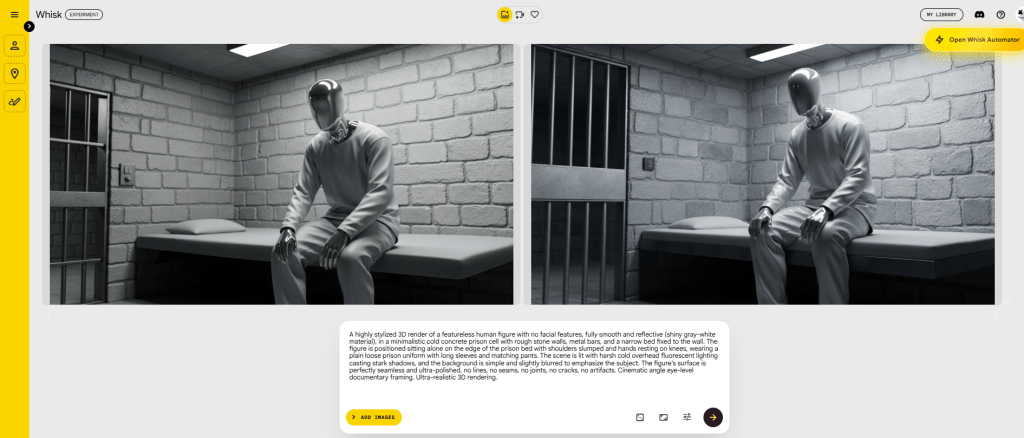
A highly stylized 3D render of a featureless human figure with no facial features, fully smooth and reflective (shiny gray-white material), in a minimalistic cold concrete prison cell with rough stone walls, metal bars, and a narrow bed fixed to the wall. The figure is positioned sitting alone on the edge of the prison bed with shoulders slumped and hands resting on knees, wearing a plain loose prison uniform with long sleeves and matching pants. The scene is lit with harsh cold overhead fluorescent lighting casting stark shadows, and the background is simple and slightly blurred to emphasize the subject. The figure’s surface is perfectly seamless and ultra-polished, no lines, no seams, no joints, no cracks, no artifacts. Cinematic angle eye-level documentary framing. Ultra-realistic 3D rendering.
Example for B-roll Prompts
B-Roll Prompt 1:
A highly stylized 3D render of a featureless human figure with no facial features, fully smooth and reflective (shiny gray-white material), in a minimalistic cold concrete prison cell with rough stone walls, metal bars, and a narrow bed fixed to the wall. The figure is positioned viewed from above, sitting hunched forward on the bed in isolation, wearing a plain loose prison uniform with long sleeves and matching pants. The scene is lit with harsh cold overhead fluorescent lighting casting stark shadows, and the background is simple and slightly blurred to emphasize the subject. The figure’s surface is perfectly seamless and ultra-polished, no lines, no seams, no joints, no cracks, no artifacts. Cinematic angle top-down surveillance-style. Ultra-realistic 3D rendering.
B-Roll Prompt 2:
A highly stylized 3D render of a featureless human figure with no facial features, fully smooth and reflective (shiny gray-white material), in a minimalistic cold concrete prison cell with rough stone walls, metal bars, and a narrow bed fixed to the wall. The figure is positioned sitting on the bed with elbows on thighs, head lowered in despair, wearing a plain loose prison uniform with long sleeves and matching pants. The scene is lit with harsh cold side lighting through prison bars creating linear shadows, and the background is simple and slightly blurred to emphasize the subject. The figure’s surface is perfectly seamless and ultra-polished, no lines, no seams, no joints, no cracks, no artifacts. Cinematic angle side profile documentary shot. Ultra-realistic 3D rendering.
B-Roll Prompt 3:
A highly stylized 3D render of a featureless human figure with no facial features, fully smooth and reflective (shiny gray-white material), in a minimalistic cold concrete prison cell with rough stone walls, metal bars, and a narrow bed fixed to the wall. The figure is positioned standing still behind the metal bars with hands gripping them loosely, wearing a plain loose prison uniform with long sleeves and matching pants. The scene is lit with cold directional lighting emphasizing the bars and isolation, and the background is simple and slightly blurred to emphasize the subject. The figure’s surface is perfectly seamless and ultra-polished, no lines, no seams, no joints, no cracks, no artifacts. Cinematic angle straight-on frontal shot. Ultra-realistic 3D rendering.
B-Roll Prompt 4:
A highly stylized 3D render of a featureless human figure with no facial features, fully smooth and reflective (shiny gray-white material), in a minimalistic cold concrete prison cell with rough stone walls, metal bars, and a narrow bed fixed to the wall. The figure is positioned sitting alone on the bed viewed from behind, staring toward the prison bars, wearing a plain loose prison uniform with long sleeves and matching pants. The scene is lit with dim cold ambient lighting with deep shadows, and the background is simple and slightly blurred to emphasize the subject. The figure’s surface is perfectly seamless and ultra-polished, no lines, no seams, no joints, no cracks, no artifacts. Cinematic angle over-the-shoulder documentary shot. Ultra-realistic 3D rendering.
This first step ensures you have a cohesive visual story before you generate a single pixel.
Step 2: Create Stunning 3D Scenes With Whisk AI
Now, the fun part! You will run delightful prompts on Whisk Automator, an impressive no-cost image AI, to conjure the imagery for your scripting.
- Go to Whisk Automator (formerly Imagine with Chrome Extension).
- Take the “main scene prompt” from ChatGPT and paste it into Whisk Automator.
- Crucial Setting: Change the aspect ratio to 16:9—the standard for YouTube videos.
- Press Enter.
Step 3: Animate Your Fern Style Scenes with Flow Automator (Google Veo)
Still images are powerful, but motion creates emotion. For this, we use Flow (which utilizes Google’s Veo model), currently available for free.
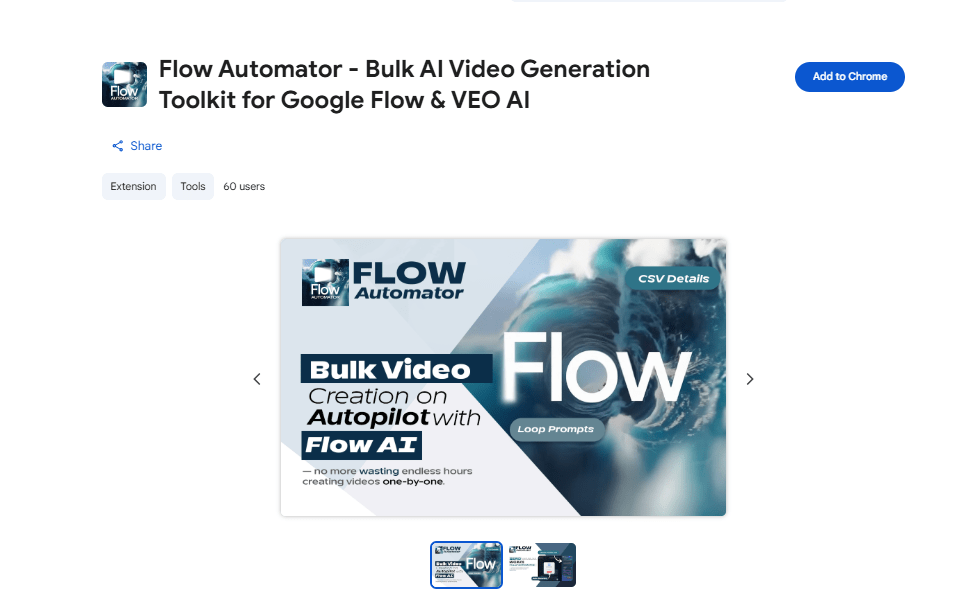
- Go to Flow.
- Select the “Frames to Video” option.
- Ensure the aspect ratio is set to 16:9.
- Upload one of the images you generated in Whisk Automator.
- Press Generate.
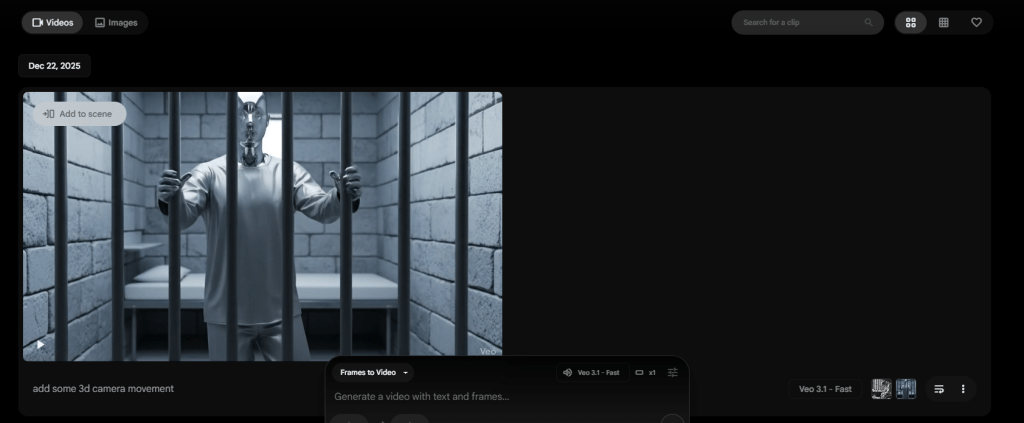
Within moments, the AI will animate your still image. It adds subtle, cinematic motion—a slow zoom, a pan across the scene, or dynamic lighting shifts—that breathes life into the frame. The result is a smooth, professional clip ready for your timeline.
Repeat this process for all your generated images.
The Hidden Bottleneck & Your Automation Advantage
The method above works perfectly. For one video. But here’s the challenge successful channels face: volume and consistency.To grow a channel, you need to publish regularly. Manually copying 20-30 detailed prompts from ChatGPT, pasting them one-by-one into Whisk, waiting, downloading, and then repeating the process in Flow is a massive time sink. This repetitive grind is what stops most creators from scaling.
Game-Changer: Whisk Automator
This is the secret weapon top creators use to move from a manual hobby to an automated content system.
Whisk Automator is a Chrome extension designed specifically to automate Whisk Automator.
This specialized Chrome extension is designed specifically to eliminate the friction of the Whisk interface. Instead of babysitting your browser for every single image generation, the Automator acts as your personal production assistant.
It allows you to feed in your entire ChatGPT-generated storyboard at once, handling the heavy lifting of queue management, aspect ratio enforcement, and batch downloading.
By removing the technical bottleneck, it transforms a tedious, multi-hour chore into a ‘set-it-and-forget-it’ process, allowing you to focus on storytelling rather than clicking buttons.”
Here’s how it transforms your workflow:
- Batch Processing: After ChatGPT gives you your list of 30+ scene prompts, you copy the entire list.
- Paste & Go: Open the Whisk Automator extension, paste all prompts into the queue, and set your parameters (16:9 aspect ratio, style, etc.).
- One-Click Generation: Click “Start.” The extension automatically submits each prompt to Whisk, manages the generation queue, and downloads all finished images for you.
- Gain Hours Back: Instead of being glued to your screen for an hour of manual work, the process runs unattended. You get a complete folder of all visuals for your documentary in a fraction of the time.
Why This is Non-Negotiable for Scaling:
- Saves 80% of Your Time: Turns hours of manual work into minutes of setup.
- Ensures Consistency: Automatically applies the same style settings to every image.
- Enables Volume: You can create assets for a week’s worth of videos in one automated session.
Master the “Fern-Style” AI Secret
To achieve a professional look at scale, modern creators are now using a combination of Whisk Automator and Flow Automator to streamline their production.
Whisk Automator allows you to bulk-generate consistent character and scene assets by feeding hundreds of prompts into Google’s Whisk tool simultaneously. Once your visual assets are ready, Flow Automator handles the heavy lifting of video generation in Google Flow (using the Veo model), ensuring your cinematic clips are rendered without manual clicking for every individual scene.